

Build a house without losing the thread
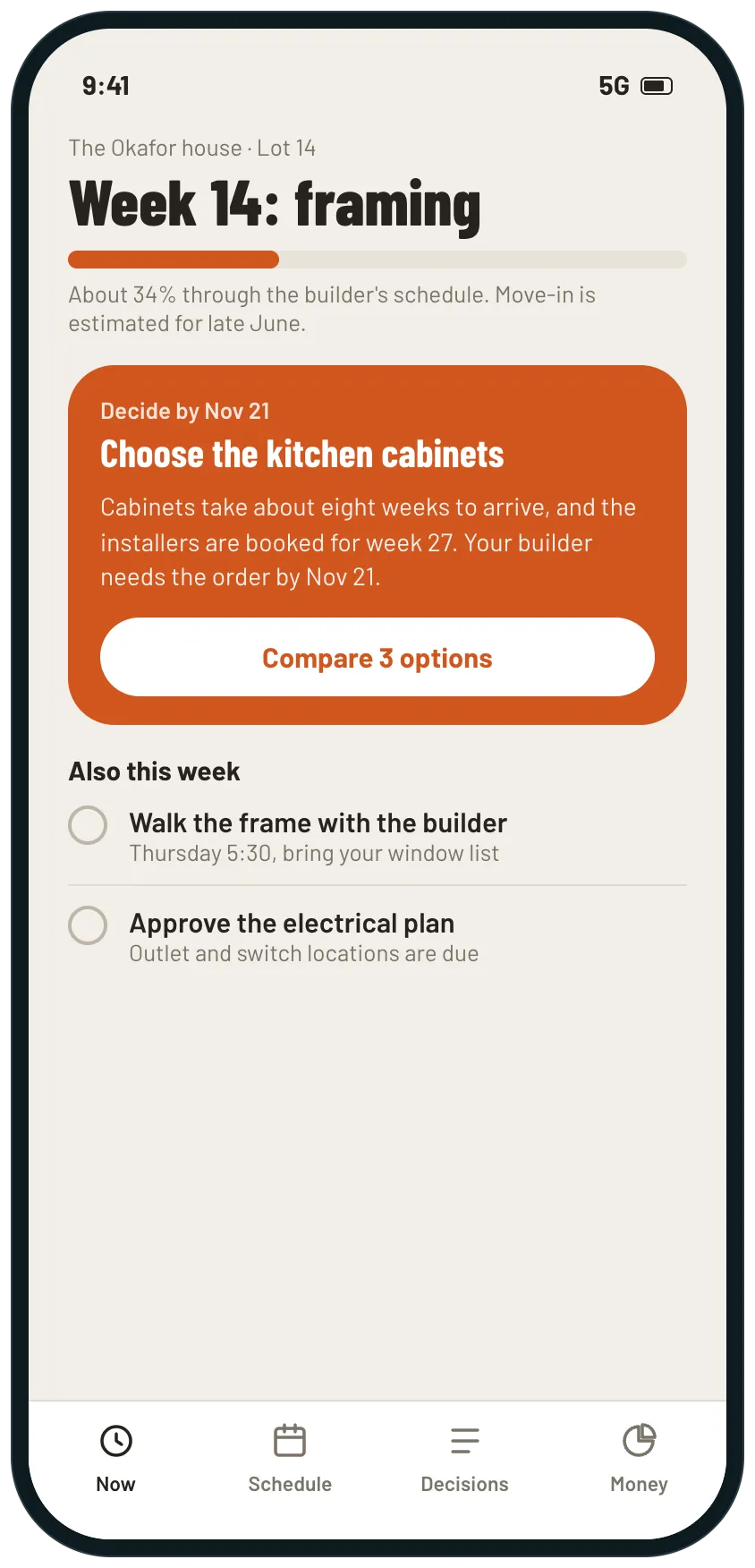
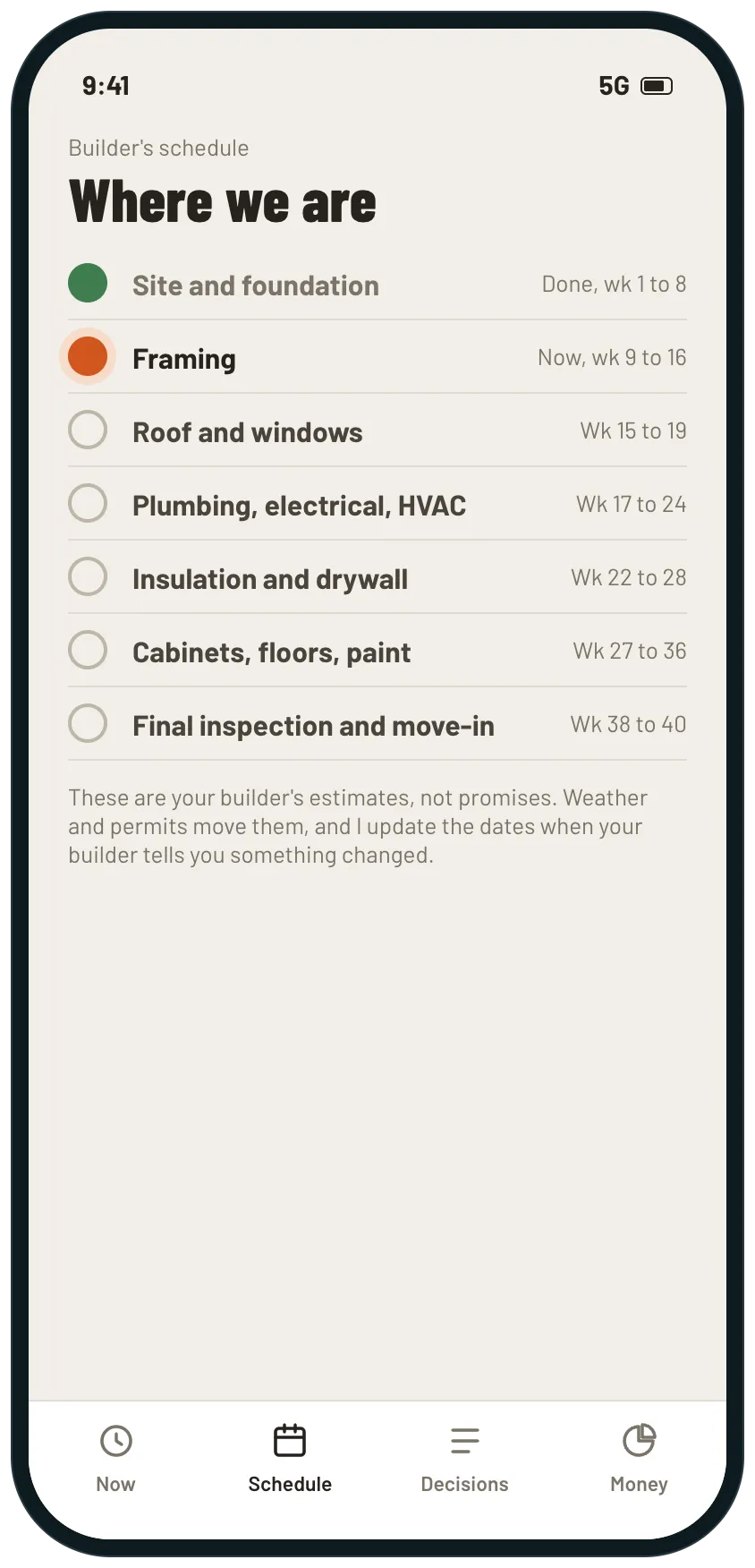
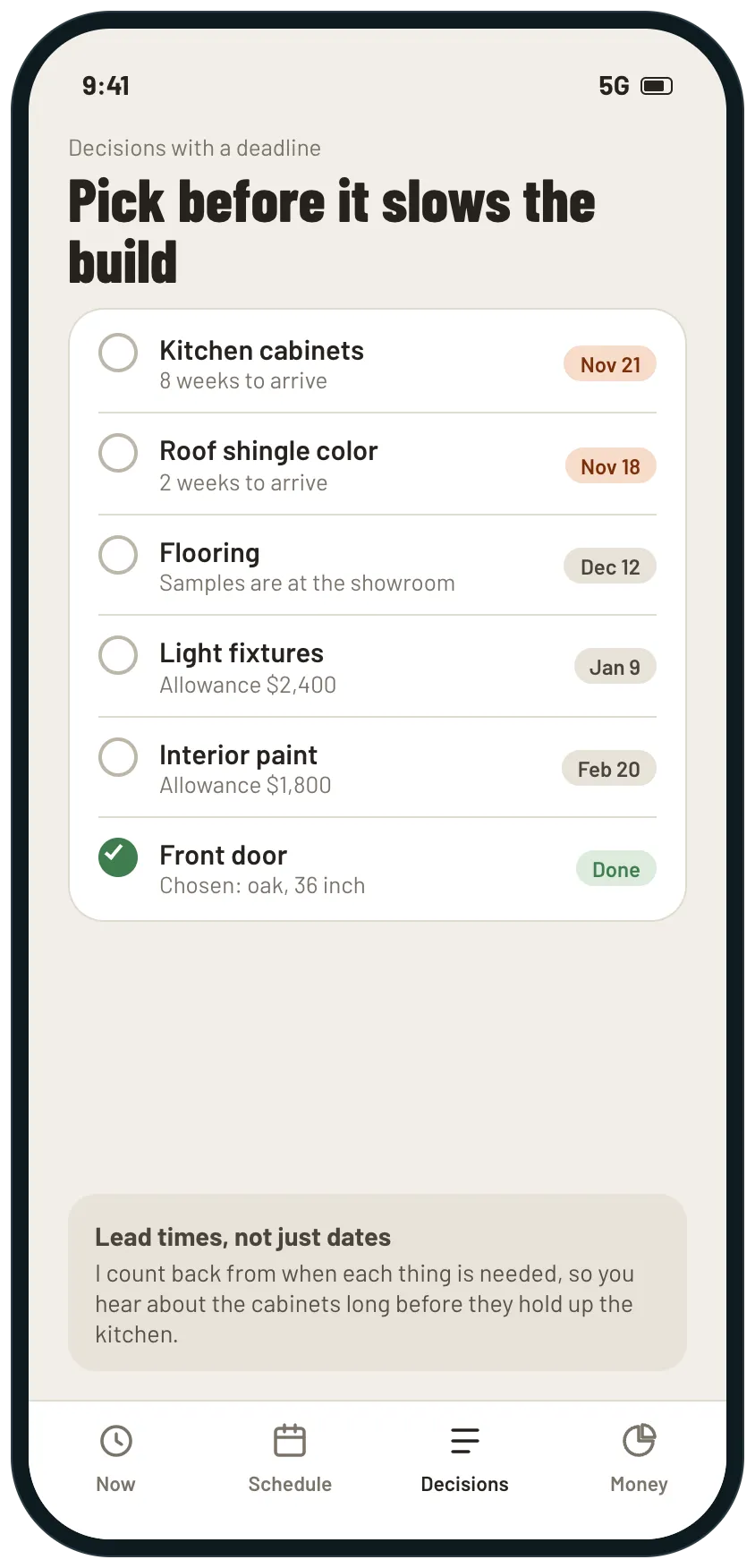
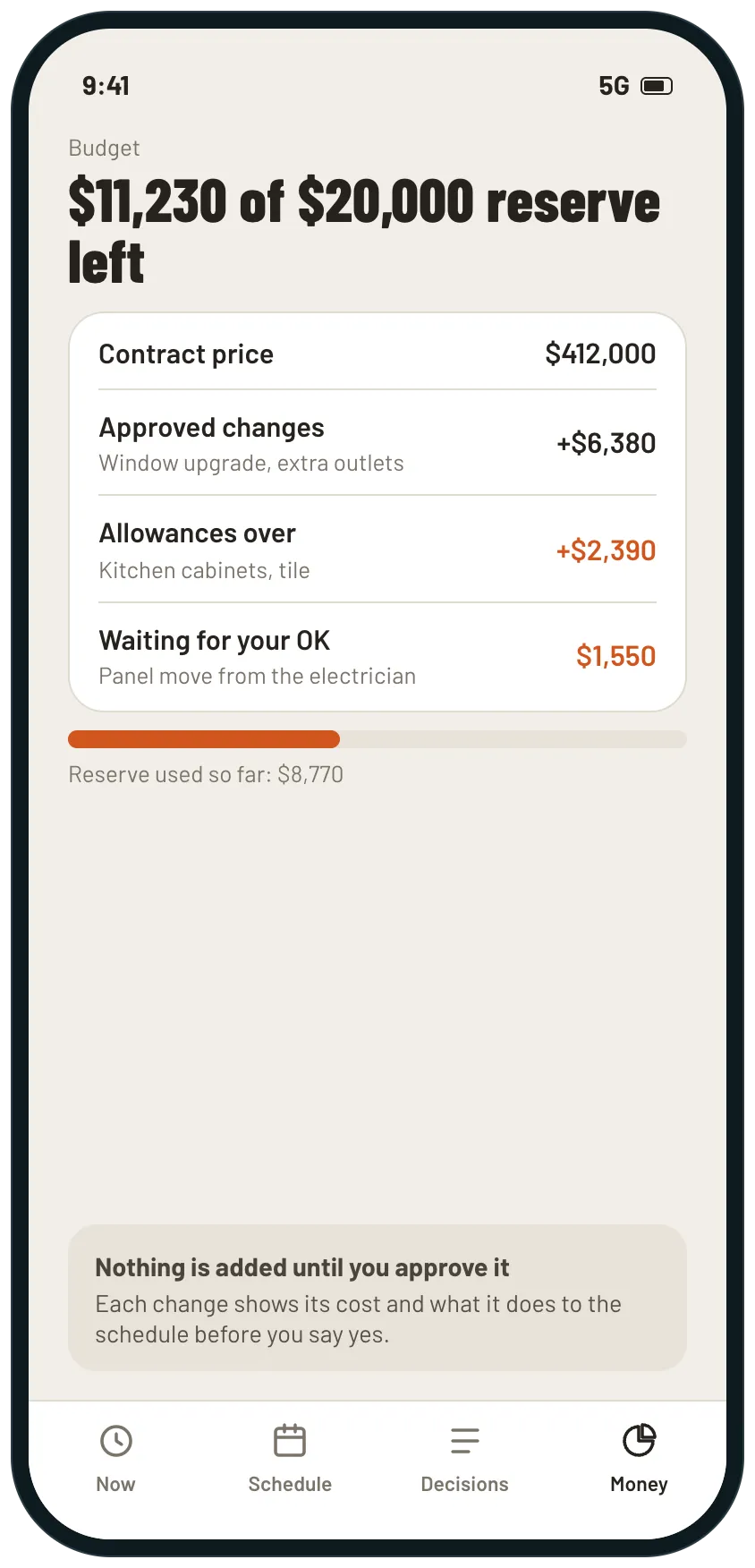
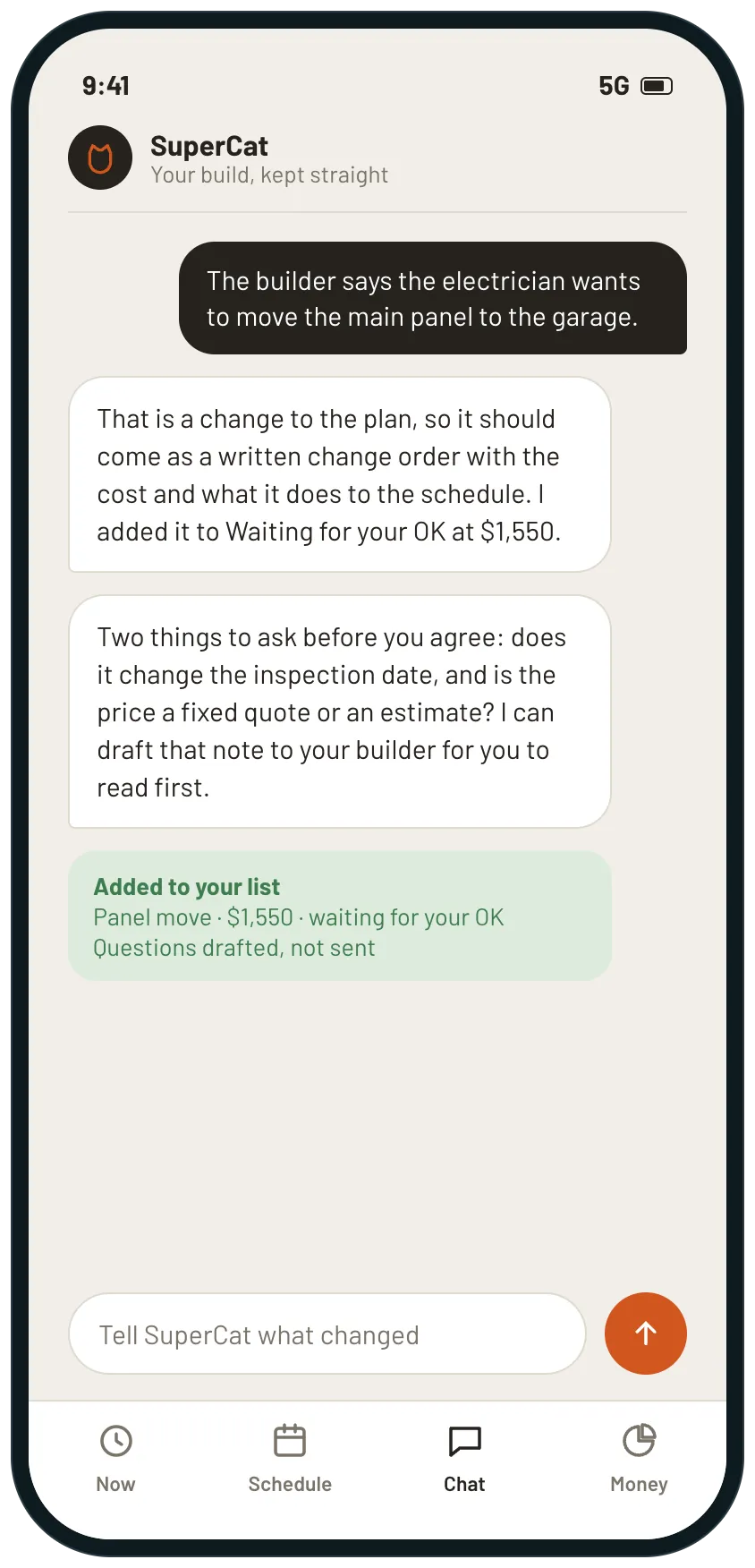
Example screens of the kind of tool SuperCat builds from this request. Yours is made around your life.
A plan for a build that runs for months: where you are in the builder's schedule, what to choose before it slows things down, what each change costs, and what your builder is waiting for.

SuperCat
Your message is ready to send
We are building a house and I want to always know what comes next, what it will cost, and what the builder is waiting on from us.
Build me a small tool for the build, for me and my partner. Ask me the address or lot, the builder's contract price, the builder's schedule (phases and estimated dates) and our reserve for changes.
Home screen: which phase we are in, how far through the schedule we are, and the one decision I must make next.
A list of decisions with a deadline for each, counted back from when it is needed and how long it takes to arrive (cabinets, windows, flooring, fixtures, paint).
A budget page: the contract price, approved changes, allowances we have gone over, changes waiting for our OK and what is left of the reserve.
When I tell you something changed (the builder wants to move a panel), add it as a change waiting for approval and tell me what to ask about cost and schedule before I agree.
Say that dates are the builder's estimates and not promises.
Calm design that works on a phone and that I can share with my partner. Reply with the link when it is ready.
Opens WhatsApp with this message and a code for 5 cans. Nothing to install, no account to create.
Prefer another app? the message.
What you get
- Which phase you are in, how far through the schedule, and the one decision to make next.
- Decisions counted back from when each thing is needed, with how long it takes to arrive.
- A budget that shows the contract, approved changes, allowances over and what is left in reserve.
- Changes listed with their cost, waiting for your OK, and the questions to ask before you agree.
- One page you and your partner share, so you agree on what was decided.
What usually gets in the way
- The schedule lives with the builder, and you find out a phase has slipped when you visit the site.
- Cabinets, windows and flooring take weeks to arrive, and the deadline to choose them is easy to miss.
- Allowances go over a little at a time and the total only becomes clear at the end.
- Changes arrive by phone or text, and nobody writes down what they cost or what they do to the schedule.
- You and your partner each remember a different version of what was decided.
The longer story
A house build runs for months, and most of it is waiting for someone else: the builder, a supplier, an inspection. The part that falls on you is the decisions, and they have lead times that start long before you need the thing.
A page counted back from the builder’s schedule shows what to decide next and why, keeps a running total of changes and allowances against your reserve, and records what each change does to the schedule before you agree.
Dates here are your builder’s estimates, and weather and permits move them. Your contract and your builder come first.
Send it as it is, or change anything first
SuperCat asks a question or two, then builds it.
Send on WhatsAppOpens WhatsApp with this message and a code for 5 cans. Nothing to install, no account to create.
Prefer another app? the message.
More requests like this
Family and home· Planning, Records and clients
House hunting tracker with an inspection checklist to use at every showing
One tracker for every house you see: an inspection checklist to take to showings, photos and notes, your own scoring, the key dates in a purchase and the costs side by side.
Send this to SuperCat
My partner and I are buying our first home and we're seeing a house or two every weekend and forgetting which had what.
Build one tool: a list of the houses we see (address, price, date seen, link to the listing), and for each a checklist to fill in at the showing (roof, windows, water stains, foundation cracks, plumbing, electrical panel, heating and cooling, neighborhood noise, parking) with a note and photo per item.
Let us set the five things that matter most to us and score each house against them, and show the houses side by side with price, monthly cost estimate that I enter (an estimate, not financial advice) and score. A place for the questions to ask the seller and the answers.
The key dates in a purchase once we make an offer (inspection, appraisal, mortgage commitment, closing), each with a due date and done or not done. A link my partner can open and add to. A note that a licensed inspector does the real inspection. Phone friendly.
Opens WhatsApp with this request and a code for 5 cans to get started.
Family and home· Planning, Scheduling
Moving checklist set to your move date, week by week with packing by room
A plan counted back from truck day: the one thing to do today, a week-by-week schedule, a box for the first night, who to tell, and a plan that moves when the date does.
Send this to SuperCat
We're moving across the country in about six weeks with two kids and a dog, and I want us to arrive and feel at home quickly, not in chaos.
Build me a small tool that tells me what to do and when, working back from truck day. Ask me the truck date, where we are moving from and to, who is coming and whether we have pets.
Home screen: weeks to go and the one thing to do today. Put the things with lead times first, like booking movers and getting school and vet records.
A week-by-week plan, and what to pack in which week by room, plus a box for what we need on the first night, opened first.
A list of who to tell about the move, with status and the date each is due.
When I tell you something changed (the closing date moves), update the dates and tell me what moved and what to re-confirm.
Say that rules for pets, schools, licenses and utilities differ by state and I should check each one.
Calm design that works on a phone and can be shared with my partner. Reply with the link when it is ready.
Opens WhatsApp with this request and a code for 5 cans to get started.