

For whoever keeps track of everything
Stop holding it all in your head. Tell SuperCat and it keeps track.
Games, appointments, trips, who is bringing what. Message SuperCat and it builds the page that keeps it straight, remembers the details next week, and changes when plans do.
No app to install. No account to create. Just start typing.
What comes back
One page that stays up to date
Every example here is a made-up person, built the way a customer would: by chatting with SuperCat. See what they asked for and what came back. Nobody needs an account to open it.
What came back
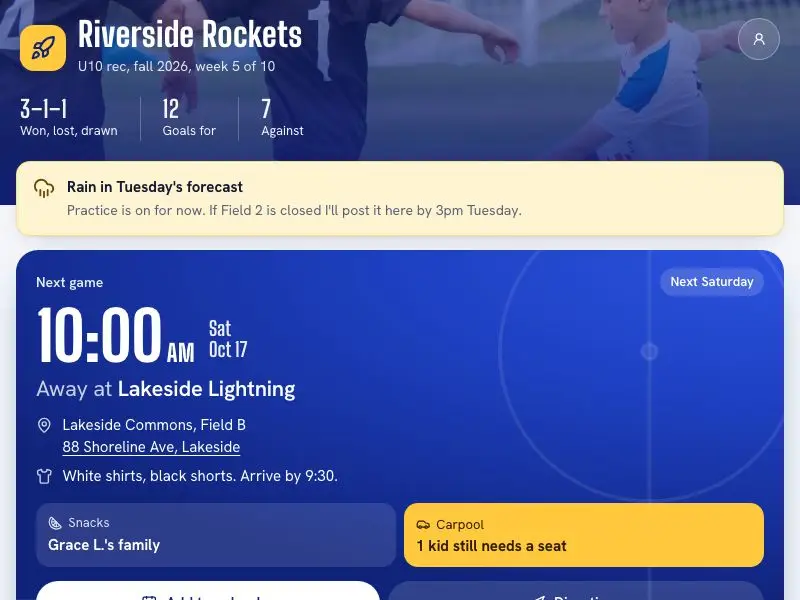
The season page
Next game, kit, directions and the rain call, for every parent
Open the season page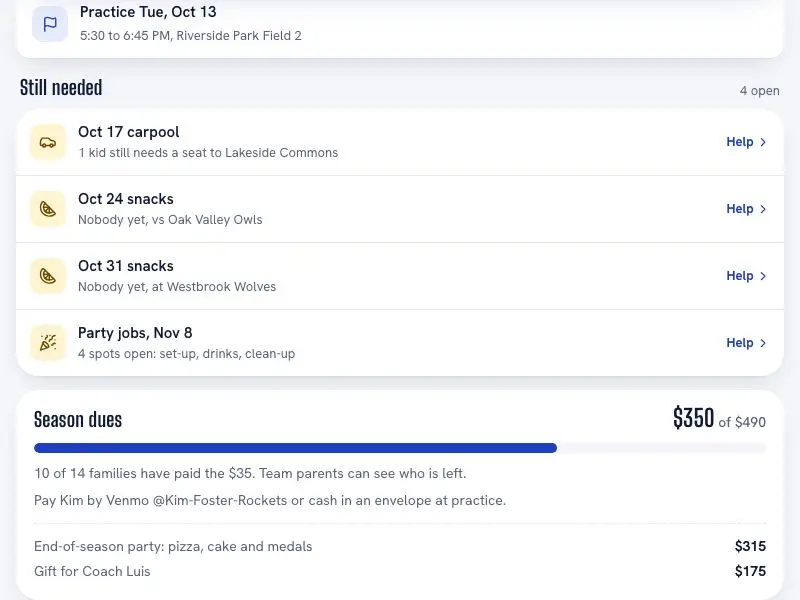
Still needed
Snack and carpool gaps, one tap to help
Open the season page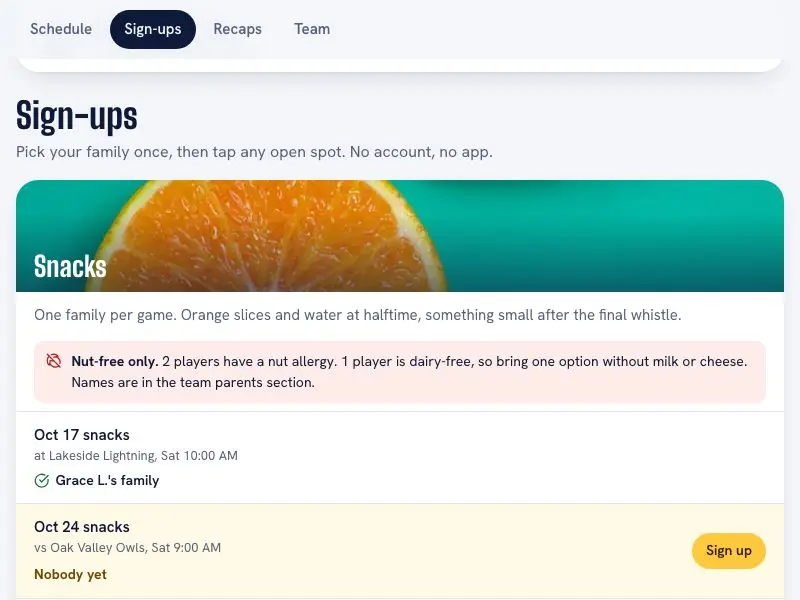
Sign-ups
Snacks, carpools and party jobs, no account
Open the season page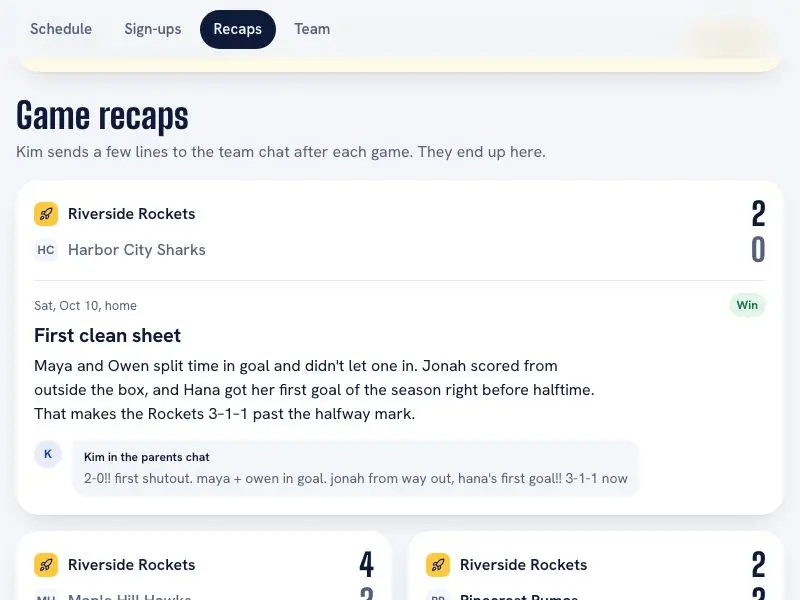
Game recaps
Written from the team parent's few lines in the chat
Open the season pageWhat came back
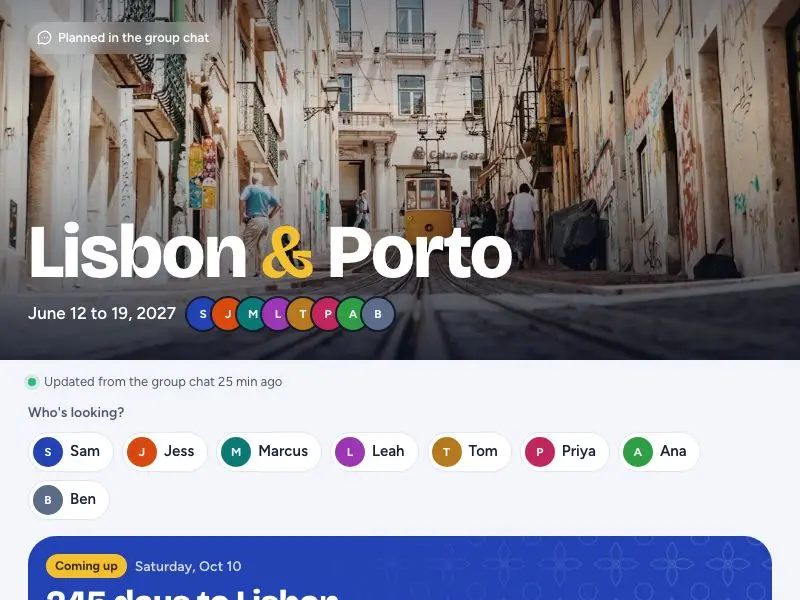
The trip page
One link for all eight, no accounts
Open the trip page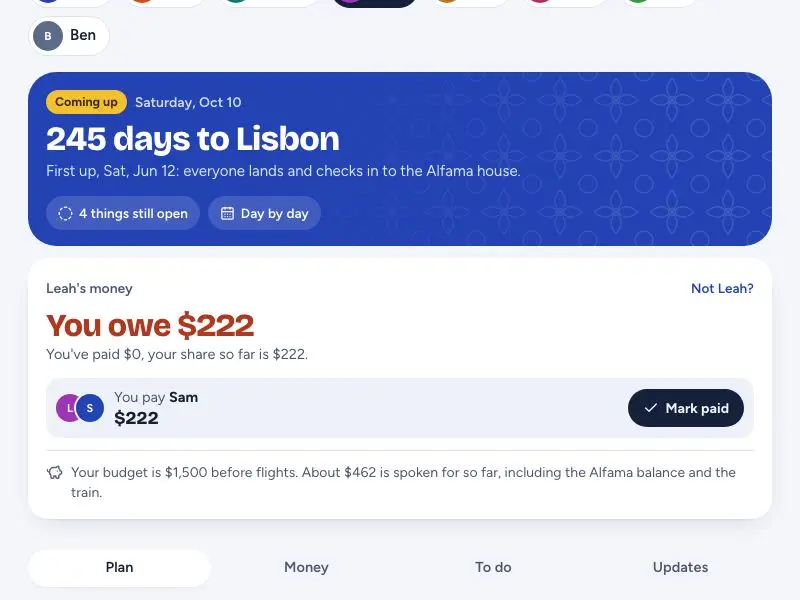
What I owe
Leah's view: her share, who to pay, mark it paid
See Leah's view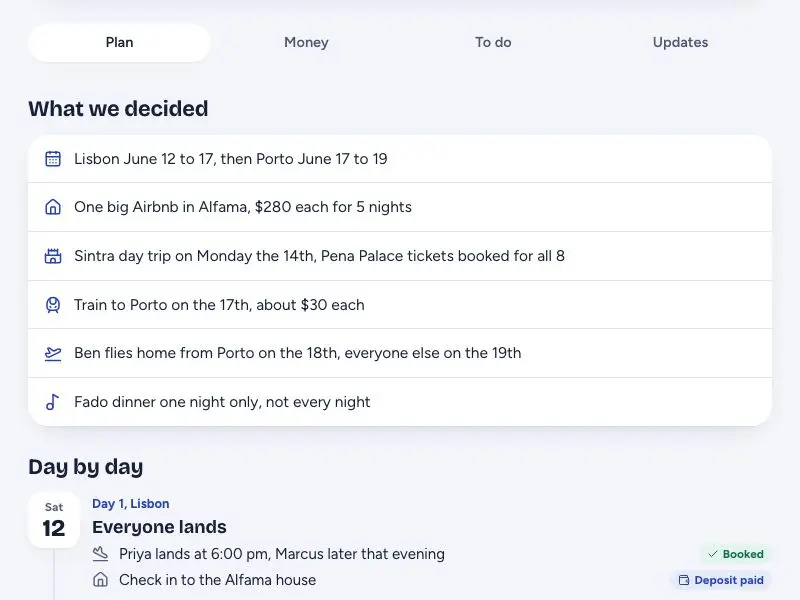
Day by day
What the group decided, including the changes of mind
Open the trip page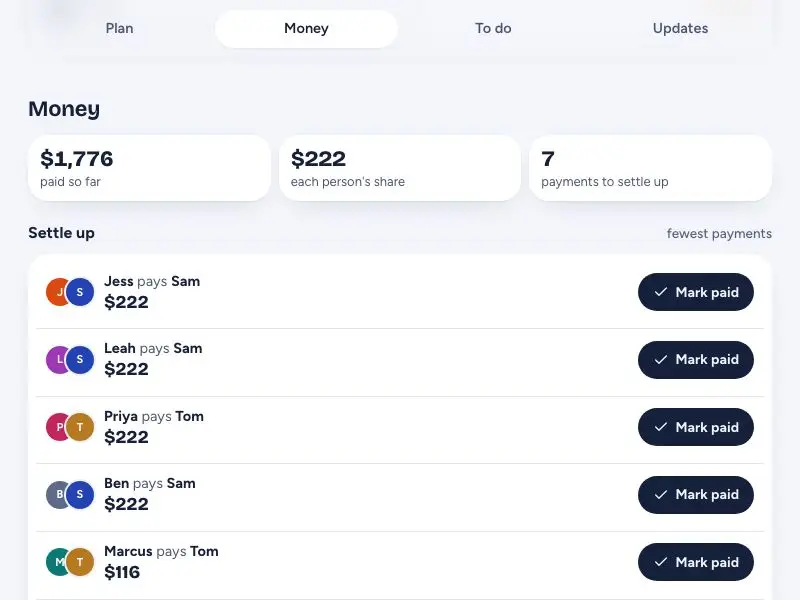
Who pays whom
Every payment from the chat, settled in the fewest transfers
Open the trip page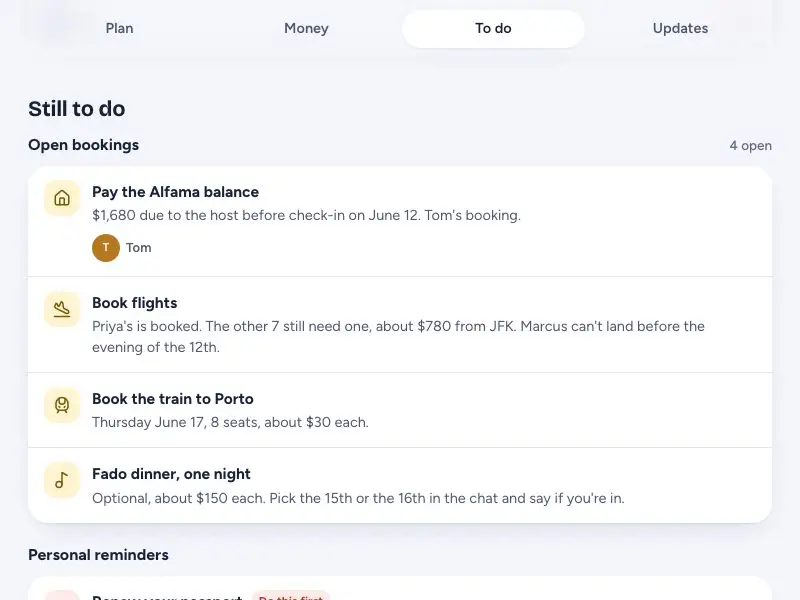
Still to do
Open bookings, and a passport that expires too soon
Open the trip page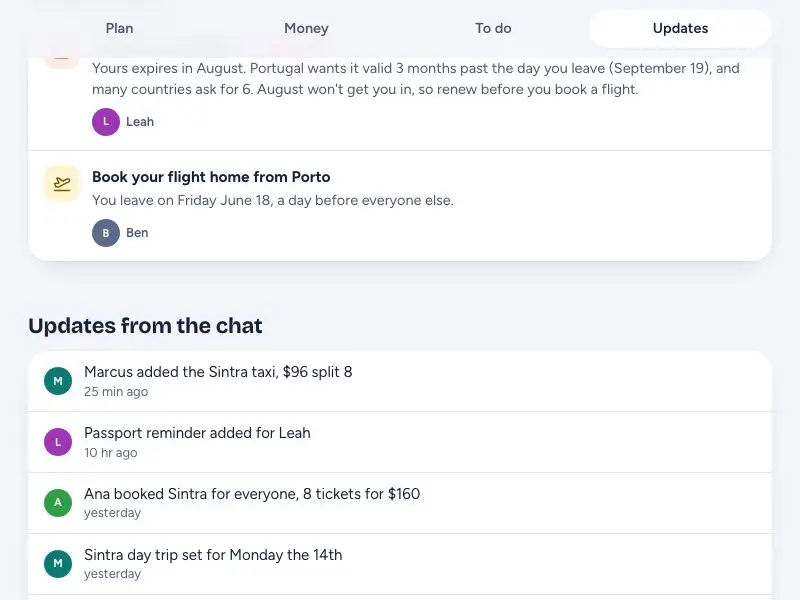
Updates from the chat
Each change the group told SuperCat, as it happened
Open the trip pageWhat came back

The invite
Date, place and the surprise rules, one link for 60 guests
Open the invite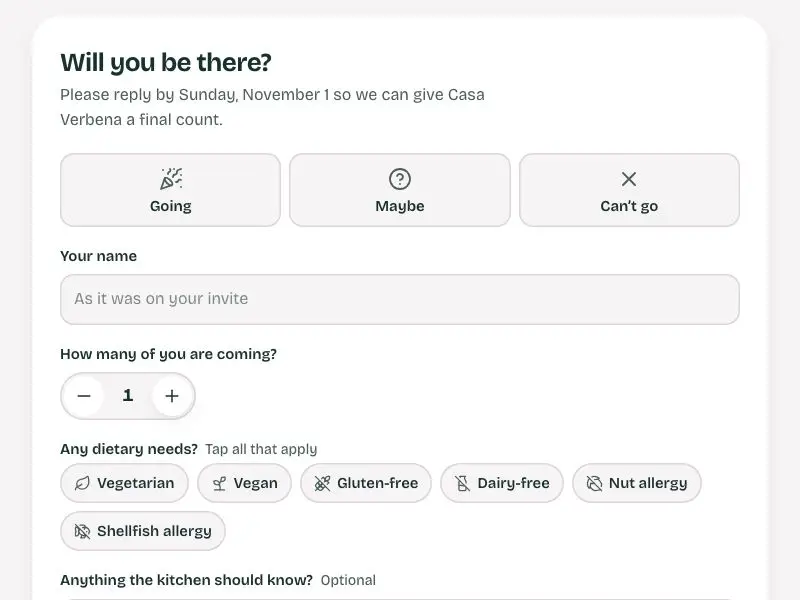
RSVP
Who is coming, how many, and dietary needs
Open the invite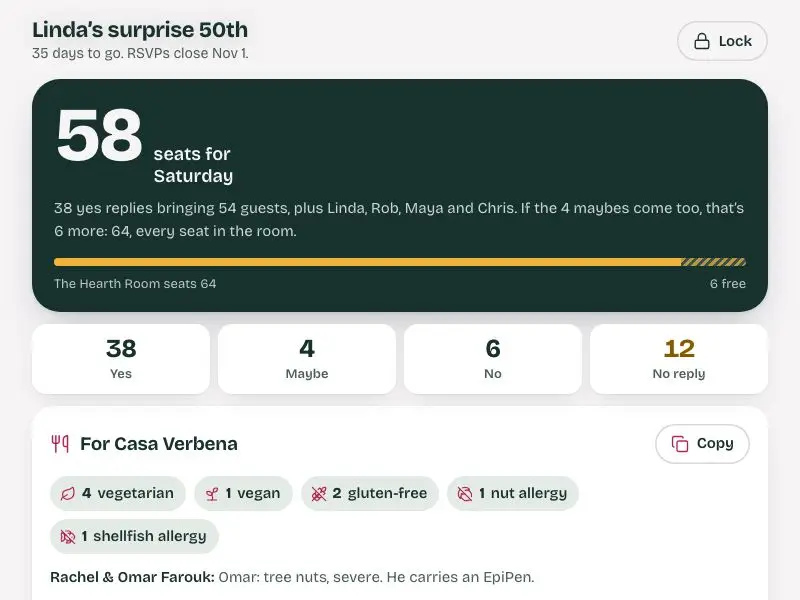
Organizer view
Headcount and dietary totals for the restaurant. Passcode: dahlia-50
Open the organizer view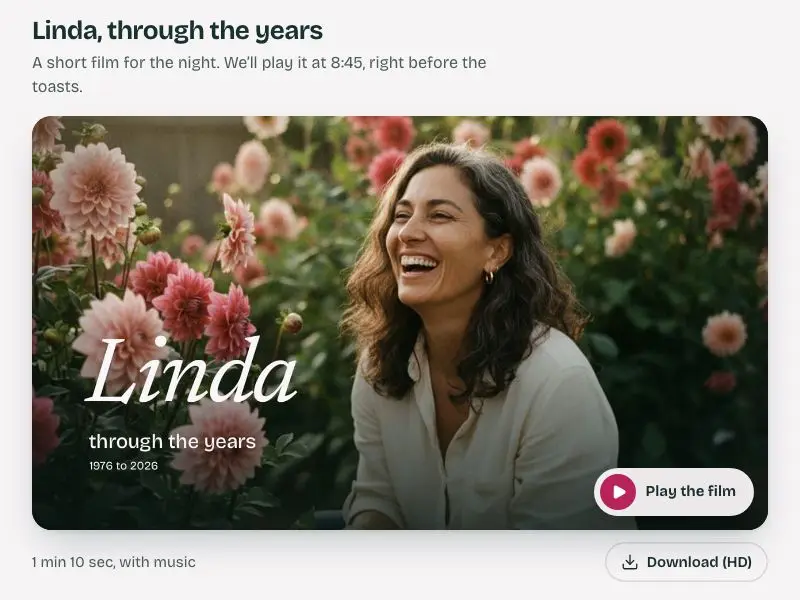
Her life in 70 seconds
A slideshow film with music and guest messages
Watch the film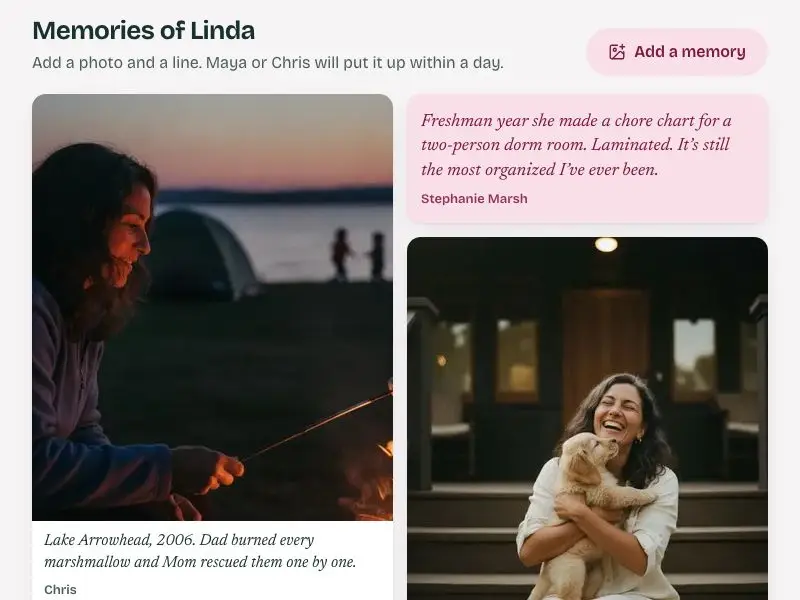
Memory wall
Guests add a photo and a line; the kids approve them
Open the inviteHow it works
You describe it. SuperCat makes it.
- 1
Message SuperCat on WhatsApp
Say what you need, the way you’d tell a colleague.
- 2
It asks, then makes it
A few questions, then it comes back in the same chat.
- 3
Change it any time
Next week or next month. It already knows the background.
Instead of notes, reminders and a group chat
You say what changed. The plan keeps up.
In every family and every group, one person ends up keeping track of everything. SuperCat takes that job: tell it what changed and it updates the page, so you stop answering the same questions.
Remembers the details
The kit colour, the allergy, what you decided last week. You do not repeat it next time.
Keeps up with changes
Tell it a game moved or a guest cancelled and the page, the sign-ups and the totals change too.
One link for everyone
The plan opens in any browser. Nobody needs an account or a new app.
Tells you when it disagrees
If two plans clash or the budget does not add up, it says so instead of nodding along.
Pricing
Pay for the work it does
Pay only for what it makes. No monthly fee unless you want extra credits, and what you buy never expires.
| Service | How you’re billed | Typical monthly cost |
|---|---|---|
| SuperCat | Pay as you go, or subscribe for extra credits | $0.50/can pay as you go — or $10–$50/month for extra credits that roll over forever |
| ChatGPT Plus | Flat monthly fee | ~$20/month, and nothing it writes keeps running tomorrow |
| Notes, a calendar and a group chat | Free | Paid for in your evenings, and you are the one keeping it all in sync |
$0.50 per can pay as you go, or an optional $10/$20/$50 monthly plan (25/50/130 cans, up to a 30% bonus over pay-as-you-go pricing) that rolls over and never expires. No per-seat fee.
Questions
Before you start
Do I have to set anything up?
No. Message SuperCat the way you would text a friend, say what you are keeping track of, and it asks a few questions and sends back the page.
Will it remember next week?
Yes. It keeps the background from your earlier chats, so you can say "the game moved to Saturday" without explaining the season again.
Can it remind me or the group?
Reminders posted in the chat are in early access. Ask SuperCat and it will tell you what it can set up today.
Does everyone need to sign up?
No. You chat with SuperCat. Everyone else opens the page from a link, and can be added to a group chat if you want them in it.
Tell SuperCat what you are keeping track of
Start on WhatsApp. Say it the way it is in your head.