

Run the team's season from the team chat
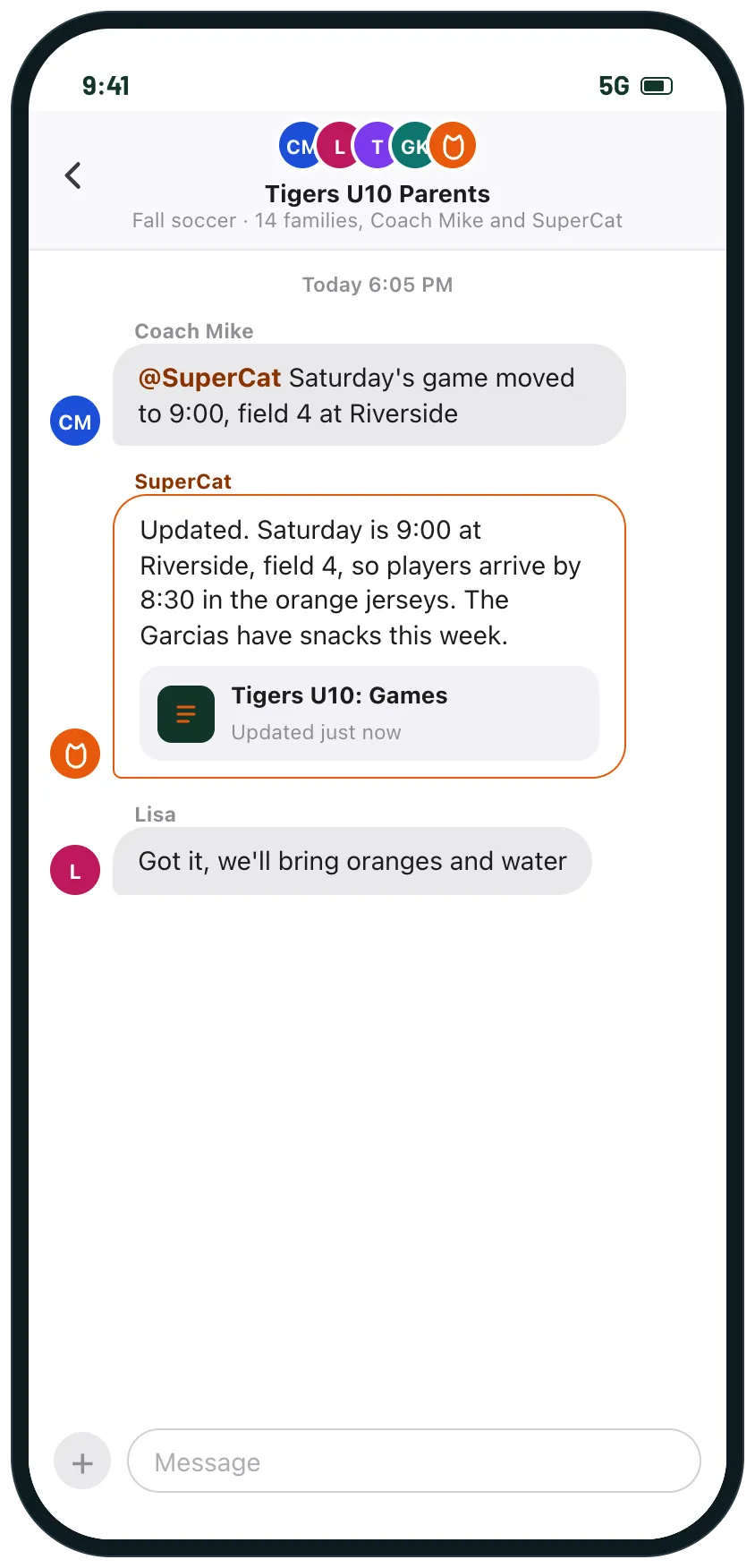
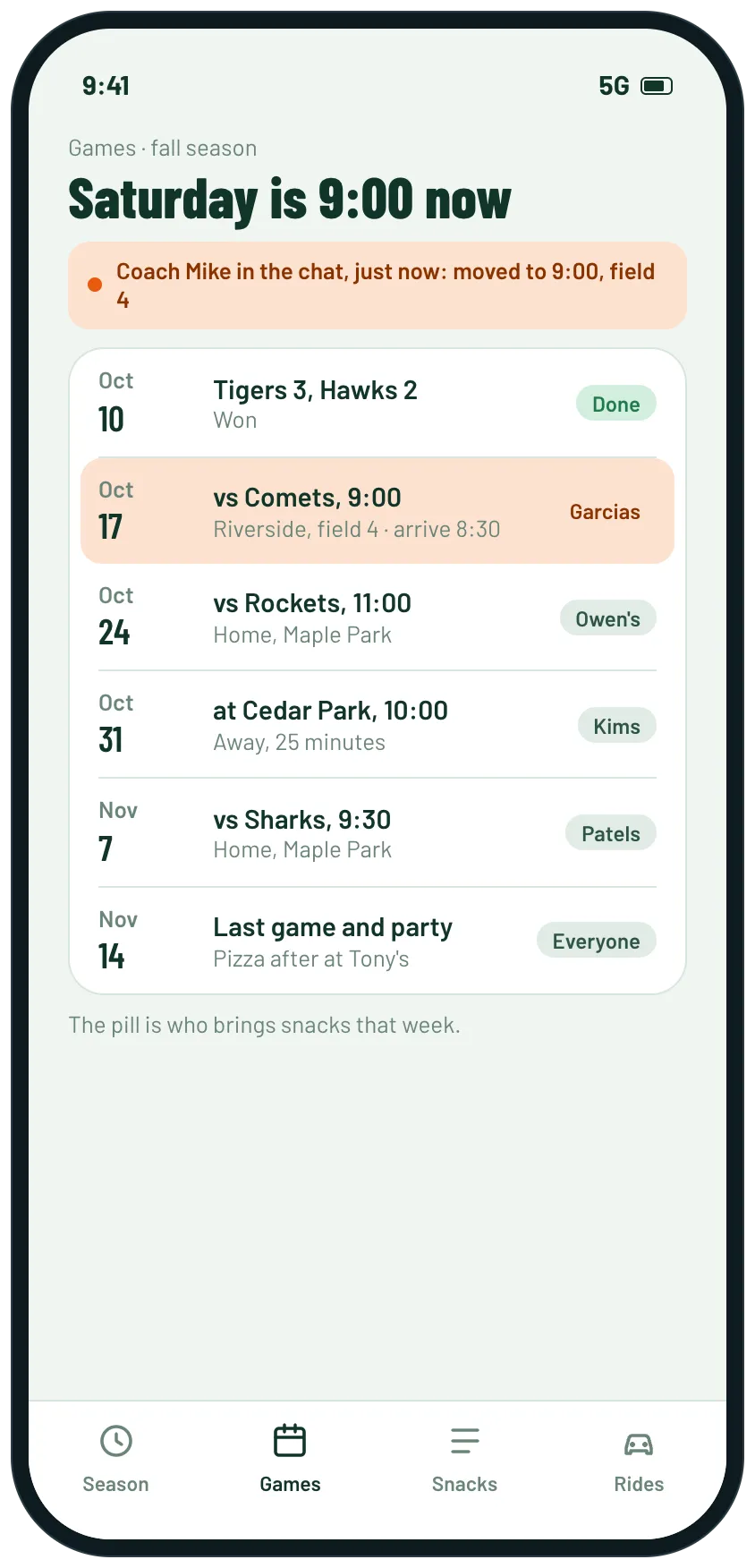
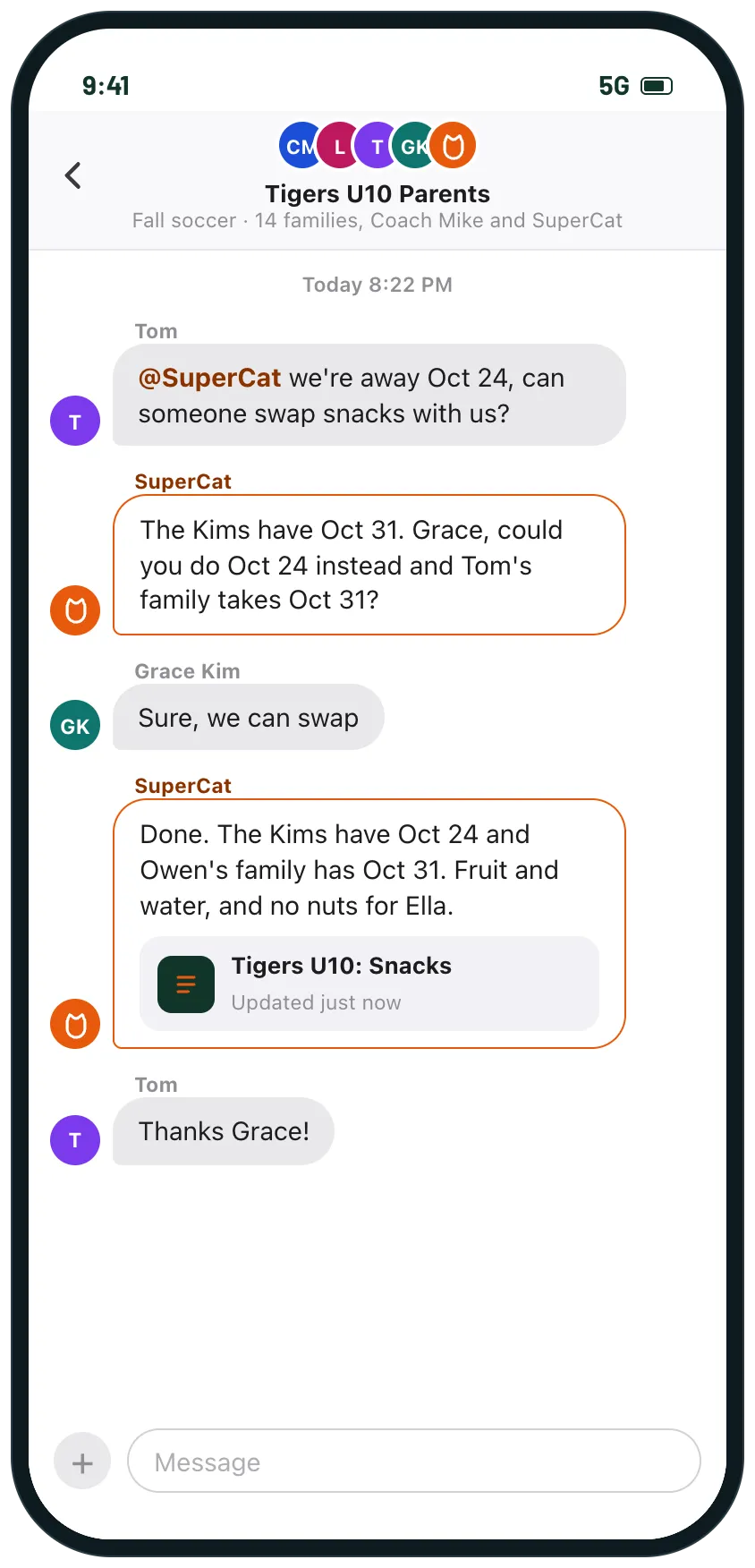
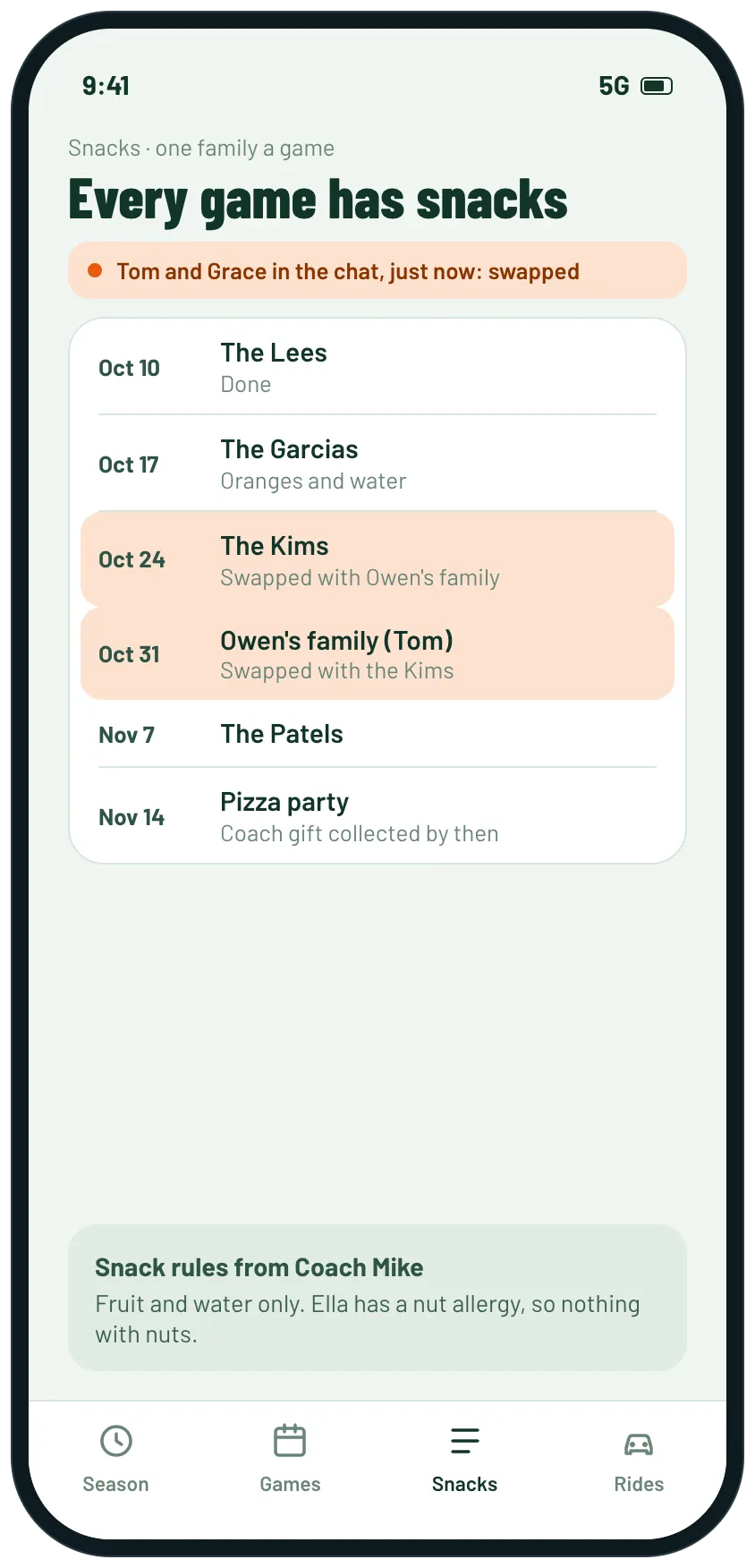
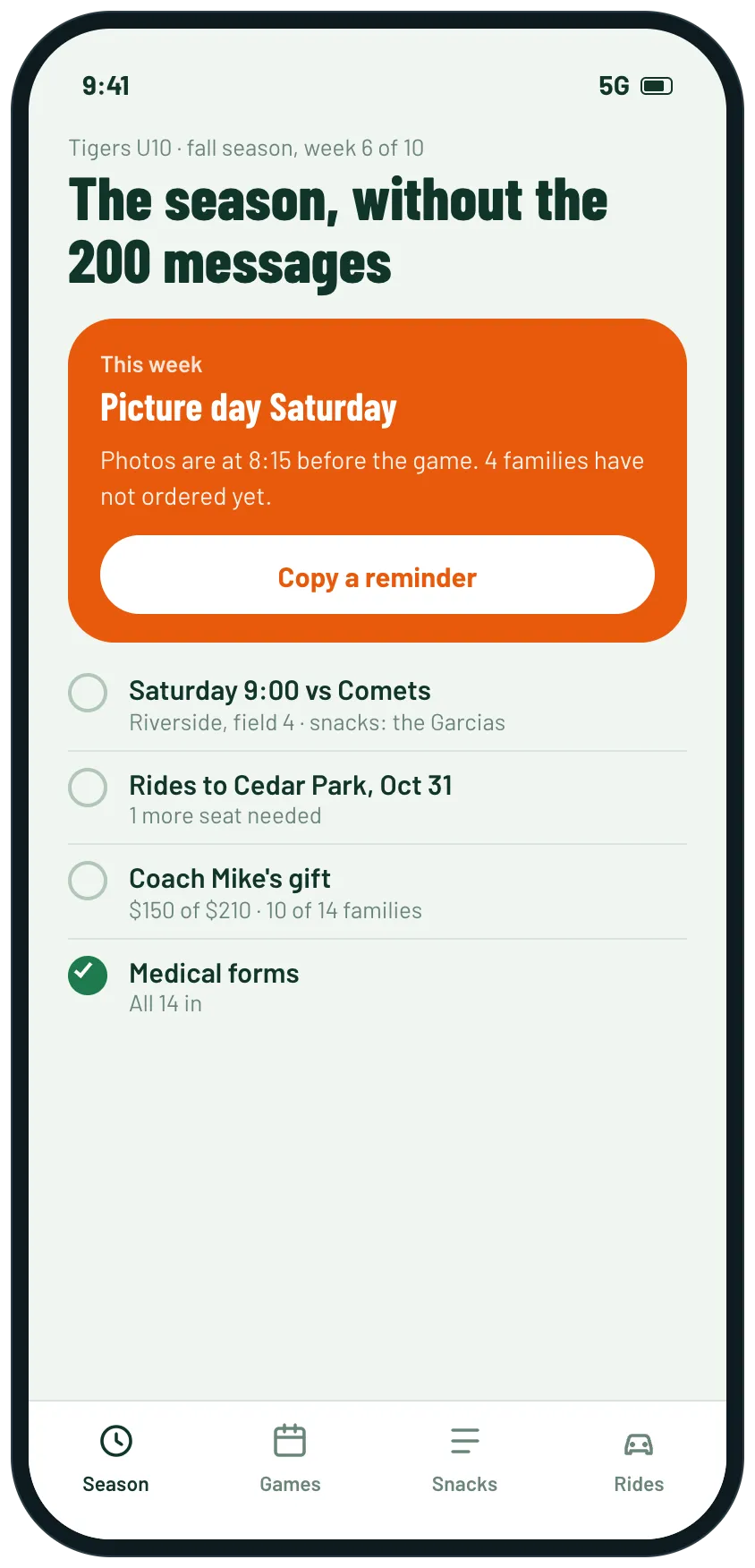
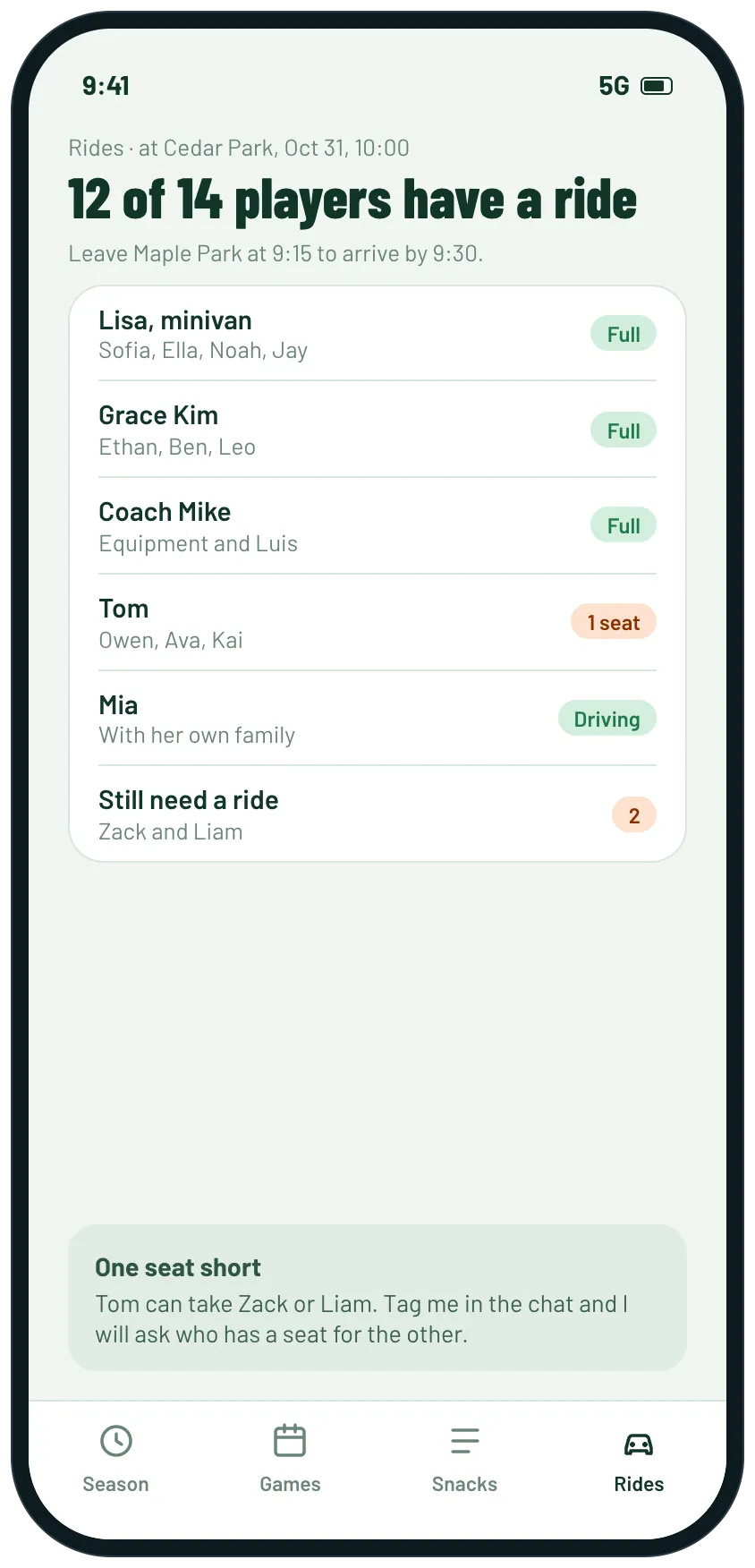
Example screens of the kind of tool SuperCat builds from this request. Yours is made around your life.
One place for the team's season: game times, the snack rotation, rides to away games and the coach gift, and SuperCat in the team parents chat so changes reach everyone without you retyping them.

SuperCat
Your message is ready to send
I'm the team parent for my son's U10 soccer team this fall: 14 families, a coach who posts changes in the group chat, and a season of games, snacks and rides to sort out.
Build us a small tool, and I'll add you to the team parents group chat so the coach or any parent can tag you with a change or a question. Ask me the team, the families and the game schedule first.
Home screen: what is happening this week and anything still missing (a ride, a snack family, a form).
The games with time, field and arrival time, and who brings snacks for each one.
The snack rotation, so families can swap weeks, with the coach's snack rules and allergies.
Rides to away games: who drives which players and how many seats are left.
The coach gift: a goal and how many families have chipped in.
When someone tells you something in the chat, update the tool and say what changed for everyone. Never message parents first; I post reminders myself.
Sporty design that works on a phone. Reply with the link when it is ready.
Opens WhatsApp with this message and a code for 5 cans. Nothing to install, no account to create.
Prefer another app? the message.
What you get
- This week at a glance, with anything still missing.
- Every game with time, field, arrival time and who has snacks.
- A snack rotation families can swap from the chat, with allergies on it.
- Rides to away games with who drives whom and seats left.
- SuperCat in the team parents chat: tag it with a change and it updates the plan for everyone.
What usually gets in the way
- The coach changes the game time in the chat and half the parents miss it.
- Snack swaps are agreed in the chat and forgotten by Saturday.
- Rides to away games are sorted the night before, and someone is always left out.
- The coach gift money is chased one family at a time at the end of the season.
- The team parent answers what time and which field every single week.
The longer story
A team mom or team parent runs a season through a group chat with the coach and every family on the team. Game times change, snack weeks get swapped and rides to away games come together the night before, and the team parent answers what time and which field every week.
A shared plan keeps the games, the snack rotation, the rides and the coach gift in one place for the season. Add SuperCat to the team chat and the coach or any parent can tag it with a change, and it updates the plan and tells everyone what it means for them: when to arrive, who has snacks, who still needs a ride.
SuperCat only acts when someone tags it, and any group admin can remove it.
Send it as it is, or change anything first
SuperCat asks a question or two, then builds it.
Send on WhatsAppOpens WhatsApp with this message and a code for 5 cans. Nothing to install, no account to create.
Prefer another app? the message.