

Pull off the party with the whole group helping
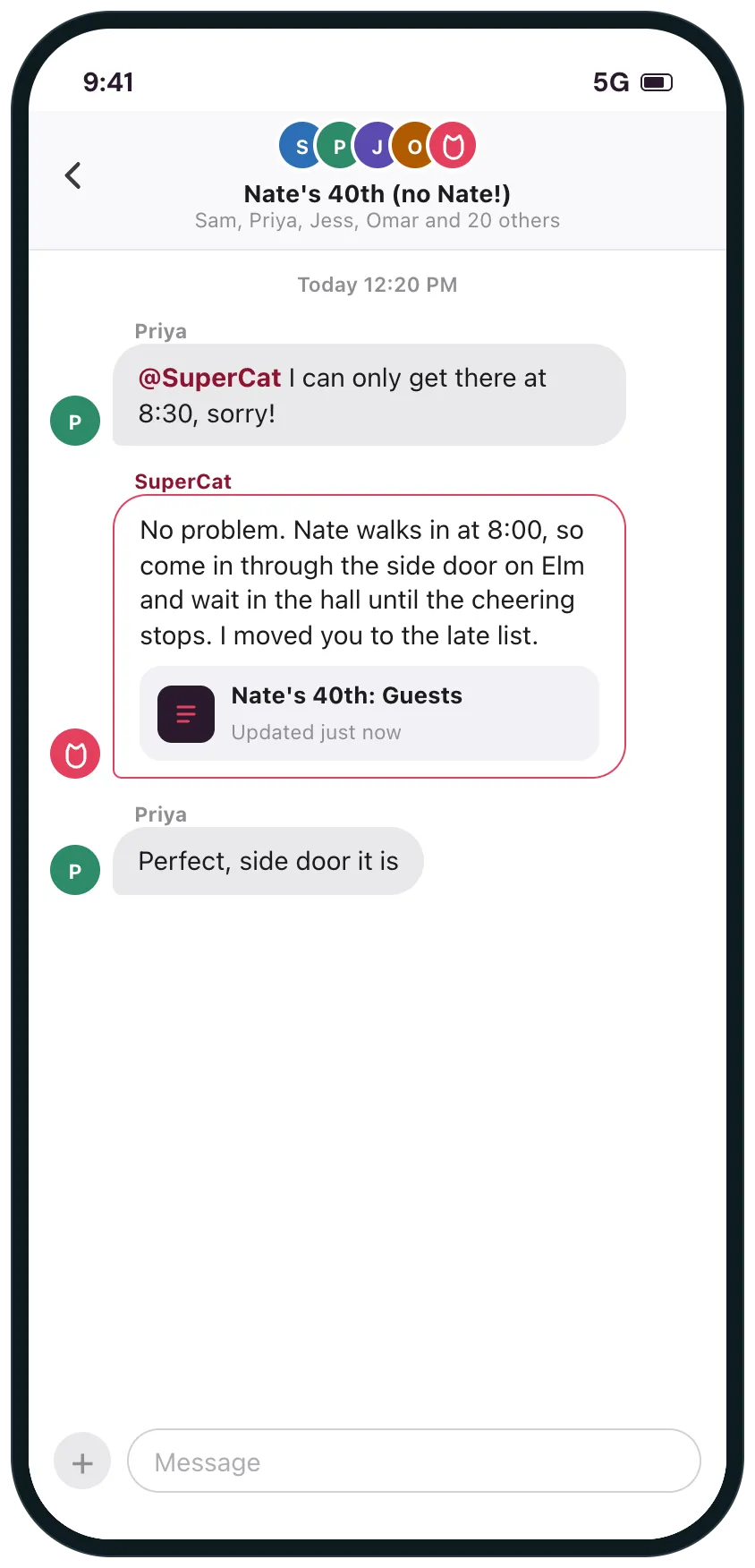
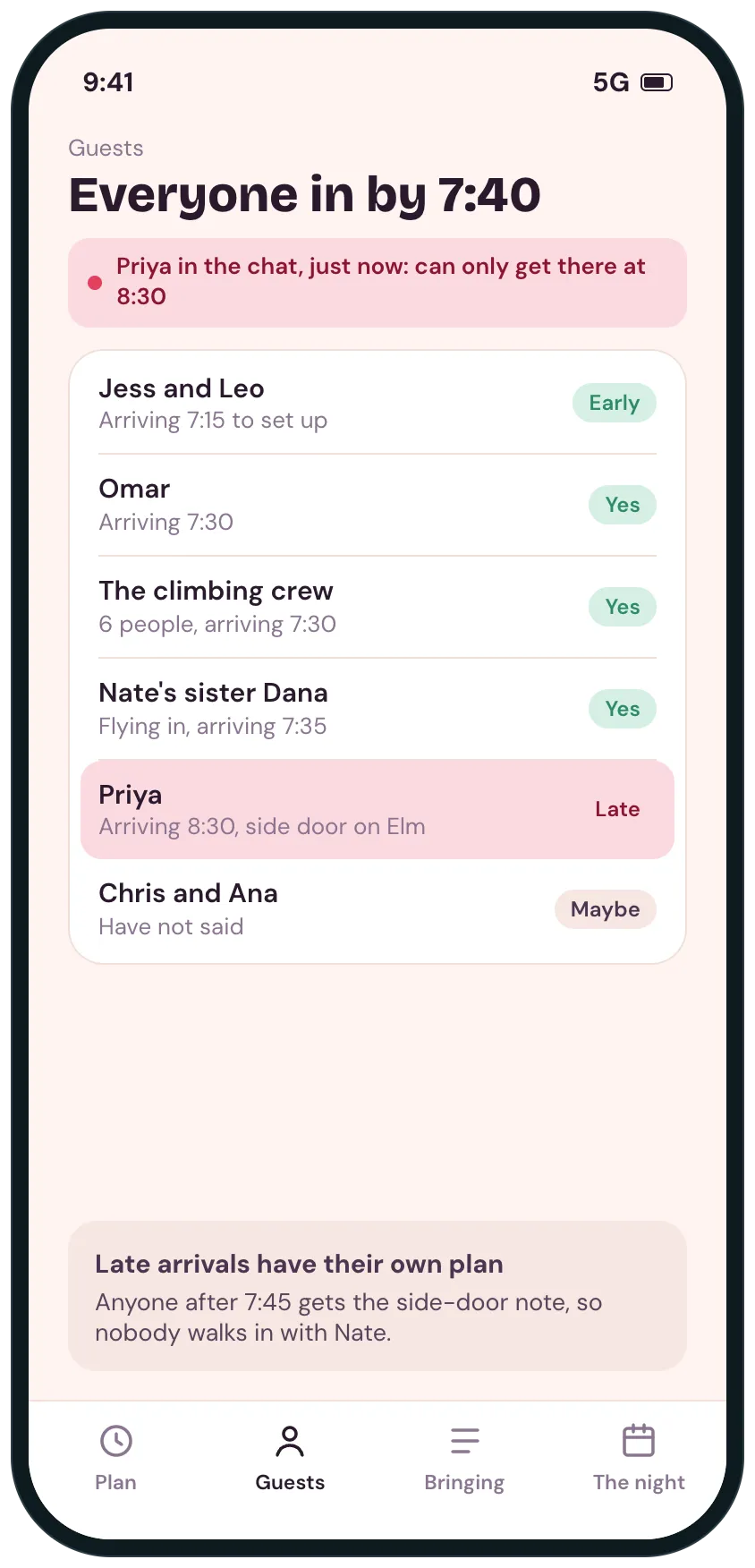
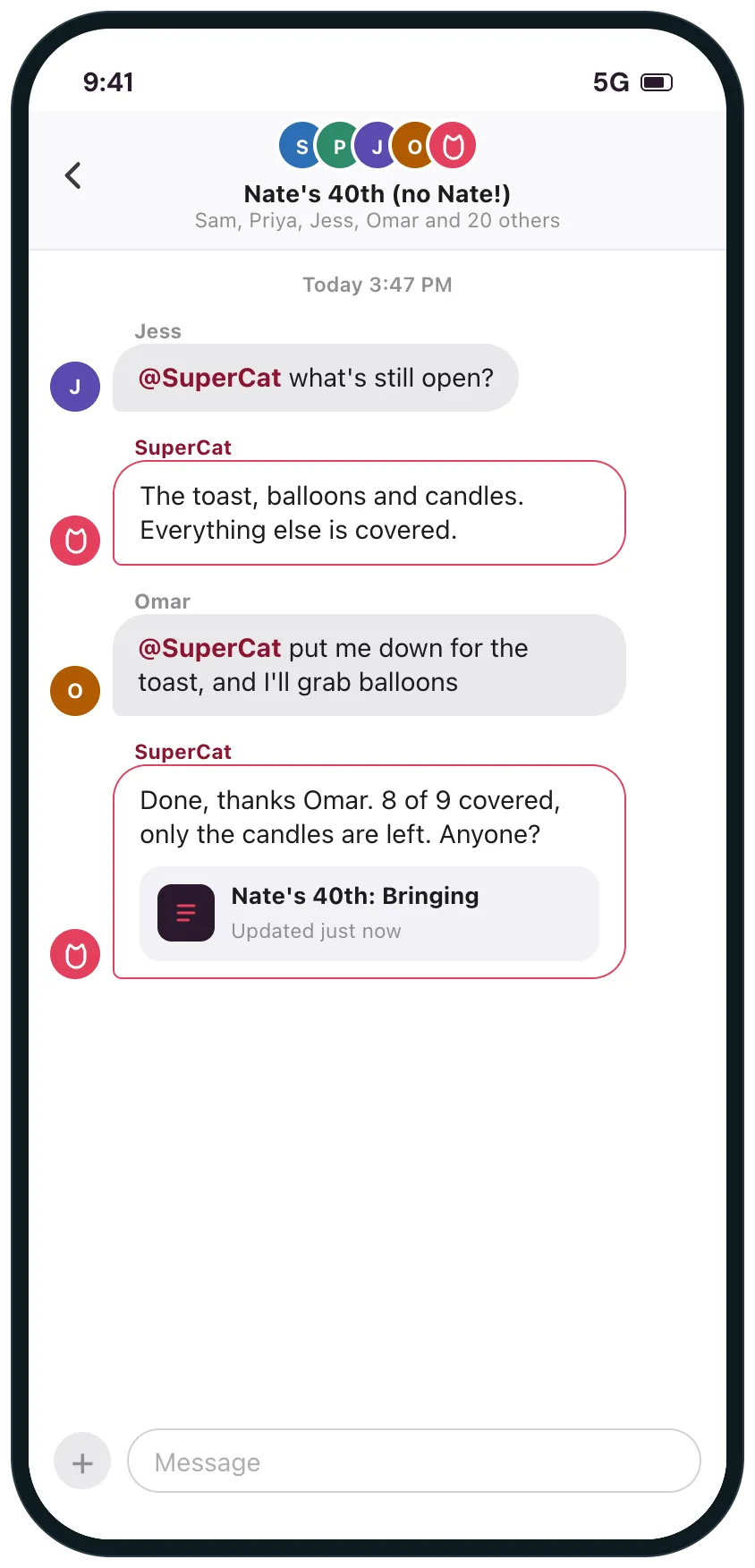
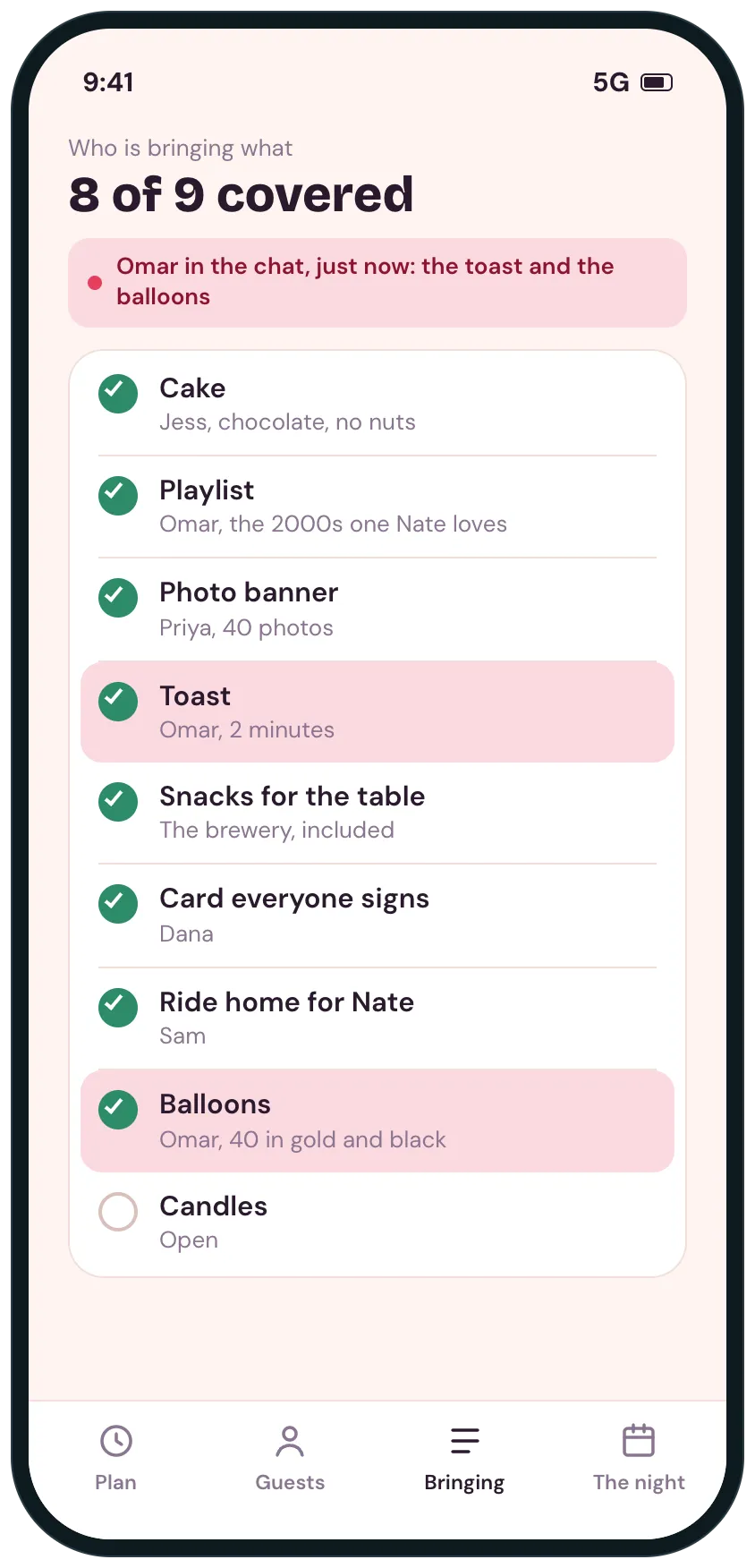
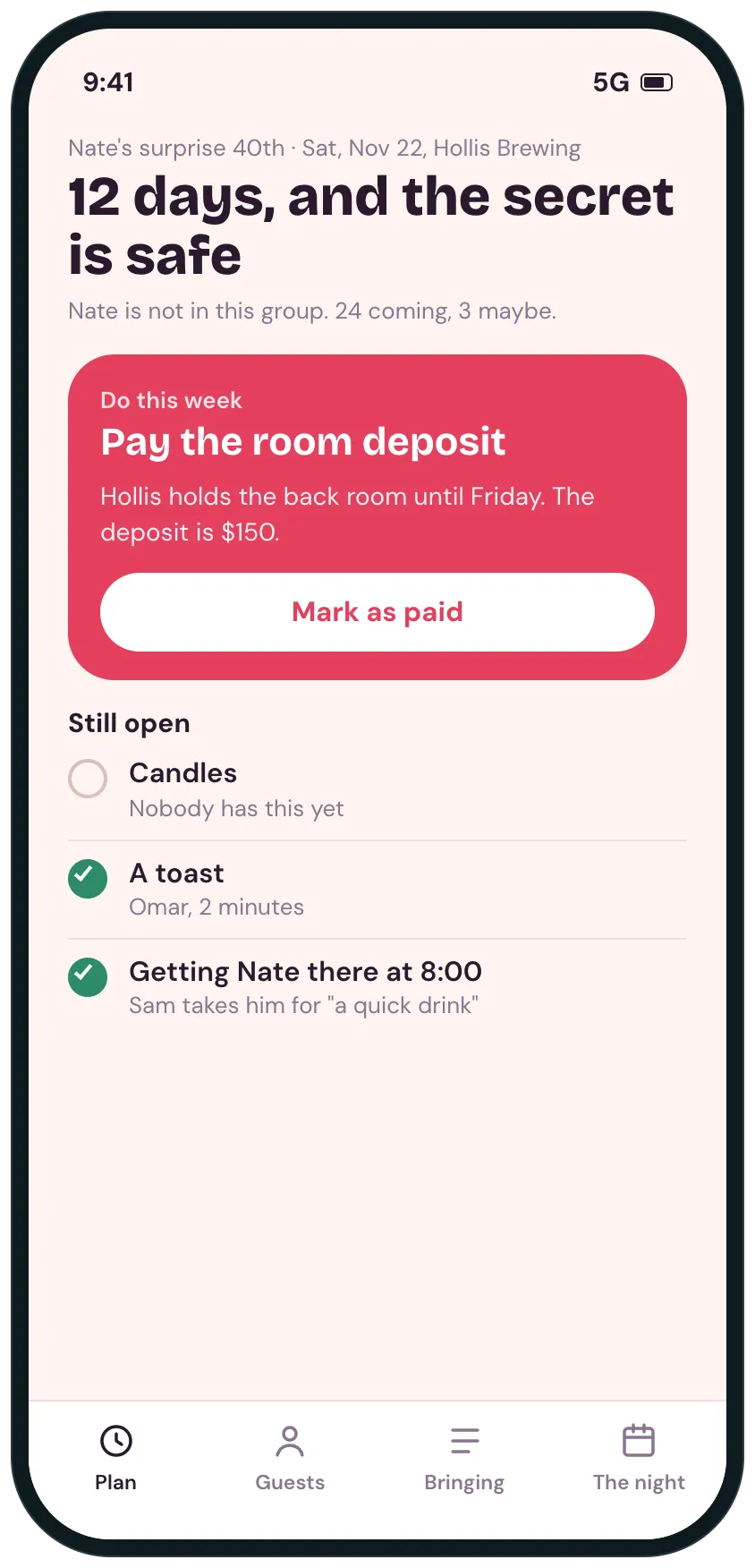
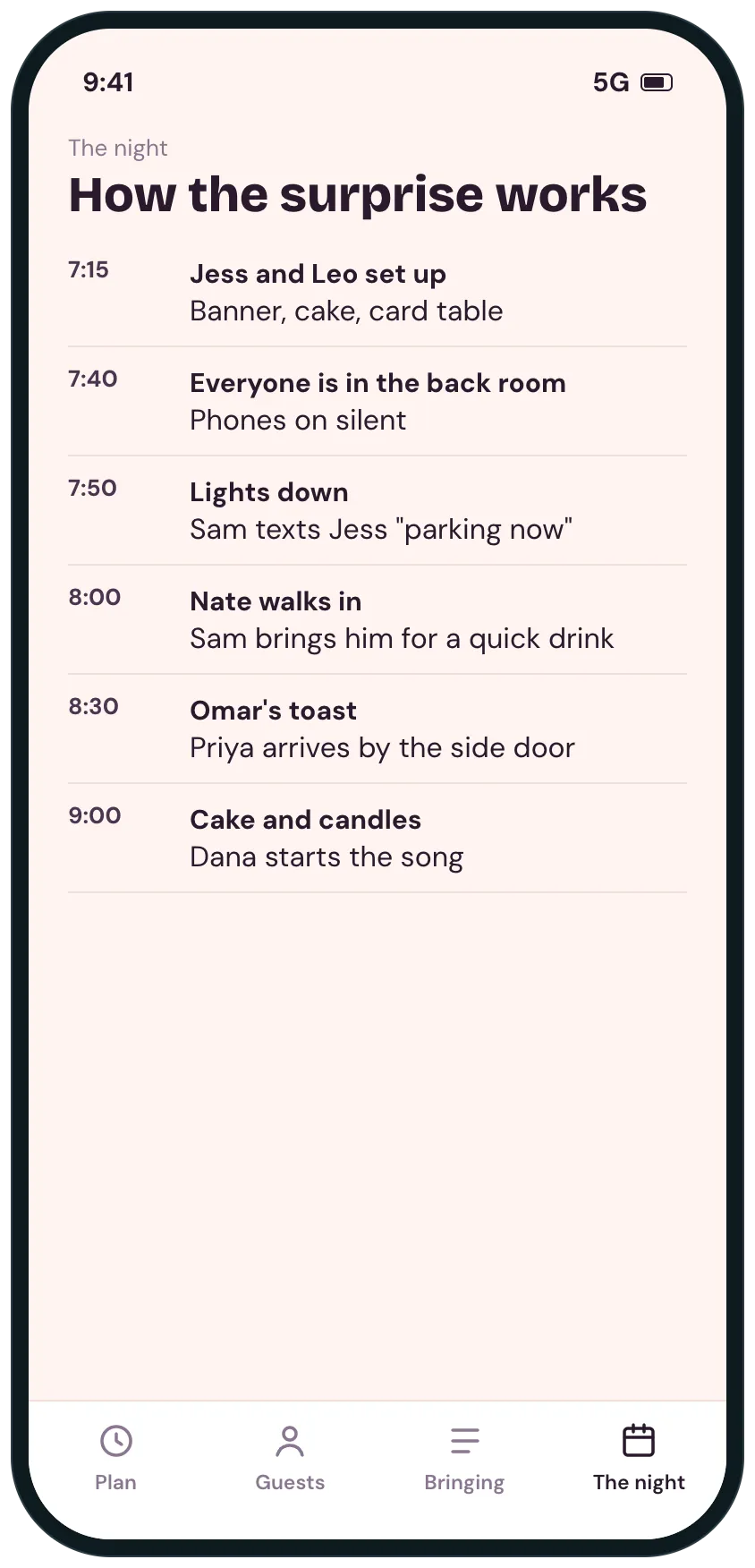
Example screens of the kind of tool SuperCat builds from this request. Yours is made around your life.
A plan for a birthday or surprise party: who is coming and when, who is bringing what, the night step by step, and SuperCat in the group chat to keep it all straight.

SuperCat
Your message is ready to send
I'm throwing my partner a surprise 40th with about 25 friends, and the planning is all in a group chat he is not in. I want it to go off without a hitch.
Build us a small tool, and I'll add you to the party group chat so anyone can tag you to ask or tell you something. Ask me the date, the place, the guest list and what we need first.
Home screen: days to go, who is coming, and the one thing to do this week.
A guest list with when each person arrives, and a plan for anyone arriving late so nobody walks in with him.
Who is bringing what, with what is still open.
The night step by step, with who does each part.
When someone tells you something changed (I can only get there at 8:30), update the plan and tell them what to do.
Keep it secret: nothing goes to him.
Calm design that works on a phone. Reply with the link when it is ready.
Opens WhatsApp with this message and a code for 5 cans. Nothing to install, no account to create.
Prefer another app? the message.
What you get
- Days to go, who is coming, and the one thing to do this week.
- Arrival times for every guest, and a plan for the late ones.
- Who is bringing what, with what is still open.
- SuperCat in the party group chat: tag it to ask who is bringing what or to say you will be late.
- The night step by step, with who does each part.
What usually gets in the way
- A text thread buries who is coming, who is bringing what and what is left to buy.
- Two guests bring the same dish and nobody brings the ice.
- A generic party planning check list does not know your date or your guest count.
- Allergies surface at the party instead of before it.
- You end up keeping the whole picture in your head the week before.
The longer story
A party planned in a group chat buries the important parts: who is coming, what time they arrive, who is bringing the cake, and what is still missing. For a surprise, one missed message can ruin it.
A shared plan keeps the guest list, the arrivals and who brings what in one place, and lays out the night step by step. Add SuperCat to the group chat and anyone can tag it with a question or a change, and it updates the plan and tells them what to do.
SuperCat only acts when someone tags it, and any group admin can remove it.
Send it as it is, or change anything first
SuperCat asks a question or two, then builds it.
Send on WhatsAppOpens WhatsApp with this message and a code for 5 cans. Nothing to install, no account to create.
Prefer another app? the message.
More requests like this
Weddings and parties· Planning
Wedding checklist that counts down to your date, with a guest list and RSVP page
A wedding checklist set to your date, a guest list with replies in one place, a personal reply link for each guest, and a read-only page of the checklist you can share.
Send this to SuperCat
I'm planning my wedding and I want one place for everything instead of a list that goes out of date. The wedding is on a date I will give you, with about 90 guests.
Build one tool: a checklist of the usual wedding tasks grouped by how long before the date they are due (twelve months, nine, six, three, one month, final week), with a due date, who is responsible (me, my partner, a parent, a vendor) and done or not done. I can add, change and remove tasks. Show what is overdue and what is due in the next two weeks at the top.
A guest list with name, side of the family, address, plus-one, meal choice and a reply status. Each guest gets their own reply link, with no login, so a reply lands on the right row; they say yes or no, name the people coming and choose a meal, and I can see and correct every reply. Show counts: invited, replied, attending, meals by type.
A budget with planned and actual amounts by category and who has paid what, with the total against my limit. A vendor list with contact, price, deposit paid and what is still owed.
An unlisted read-only page I can send by link that shows only the checklist and the counts, with no addresses or budget. Phone friendly.
Opens WhatsApp with this request and a code for 5 cans to get started.
Clubs and events· Records and clients
Check volunteers in at their shift and tally the hours
Volunteers sign up in one place and scan a code when they arrive, so hours and reimbursements come from who showed up, not who signed up.
Send this to SuperCat
I look after volunteer hours for a volunteer-run club. Volunteers already sign up for shifts, for example at a food stall, in another tool. I now need to record who actually shows up, so I can total hours and handle reimbursements. It must handle a large group of volunteers and have no per-volunteer fees.
Build one tool: a list of volunteers (name, phone or email) and a list of shifts (date, location, role, start and end time, how many are needed). Import the sign-ups from a CSV export of my sign-up tool, so I don't type them twice.
Check-in: a QR code for each shift location that volunteers scan with their phone camera when they arrive and again when they leave. A page opens where they type the first three letters of their name and pick themselves; it shows only first name and last initial, and nothing until three letters are typed. Arrival and departure are only accepted while the shift is open. A staff screen on a shared tablet does the same job for anyone without a phone.
Show for each shift who was expected, who arrived, who didn't, and any walk-ins, with a note field.
Hours: total hours per volunteer by season, with a rule for rounding, and a list of who has met the hours the club requires. Export it as CSV for the reimbursement and the treasurer.
Reminders: a message I can copy for people who have not yet met their hours. Keep volunteers' details private to me and the other organizers I add.
Opens WhatsApp with this request and a code for 5 cans to get started.