

A homeschool year that stays on track
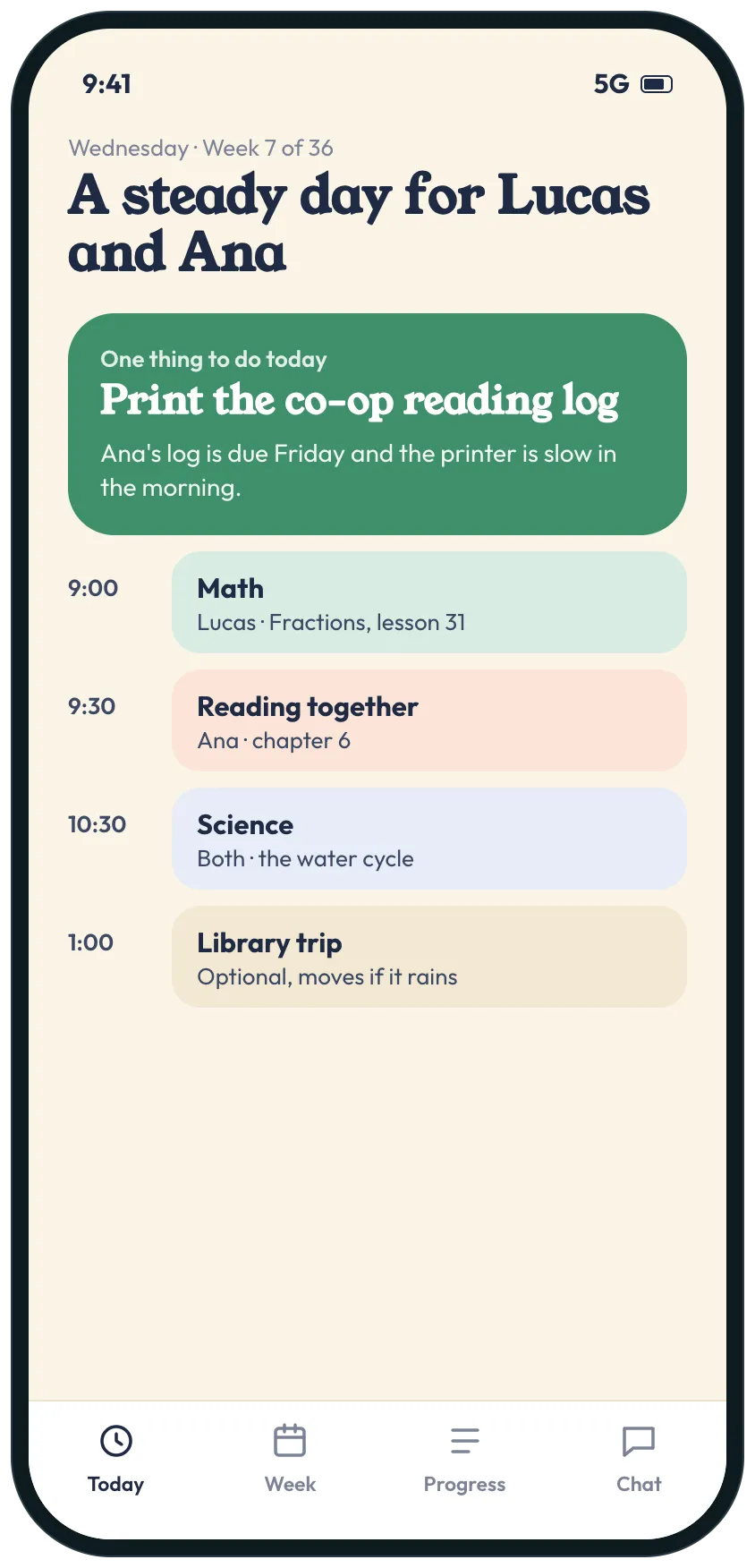
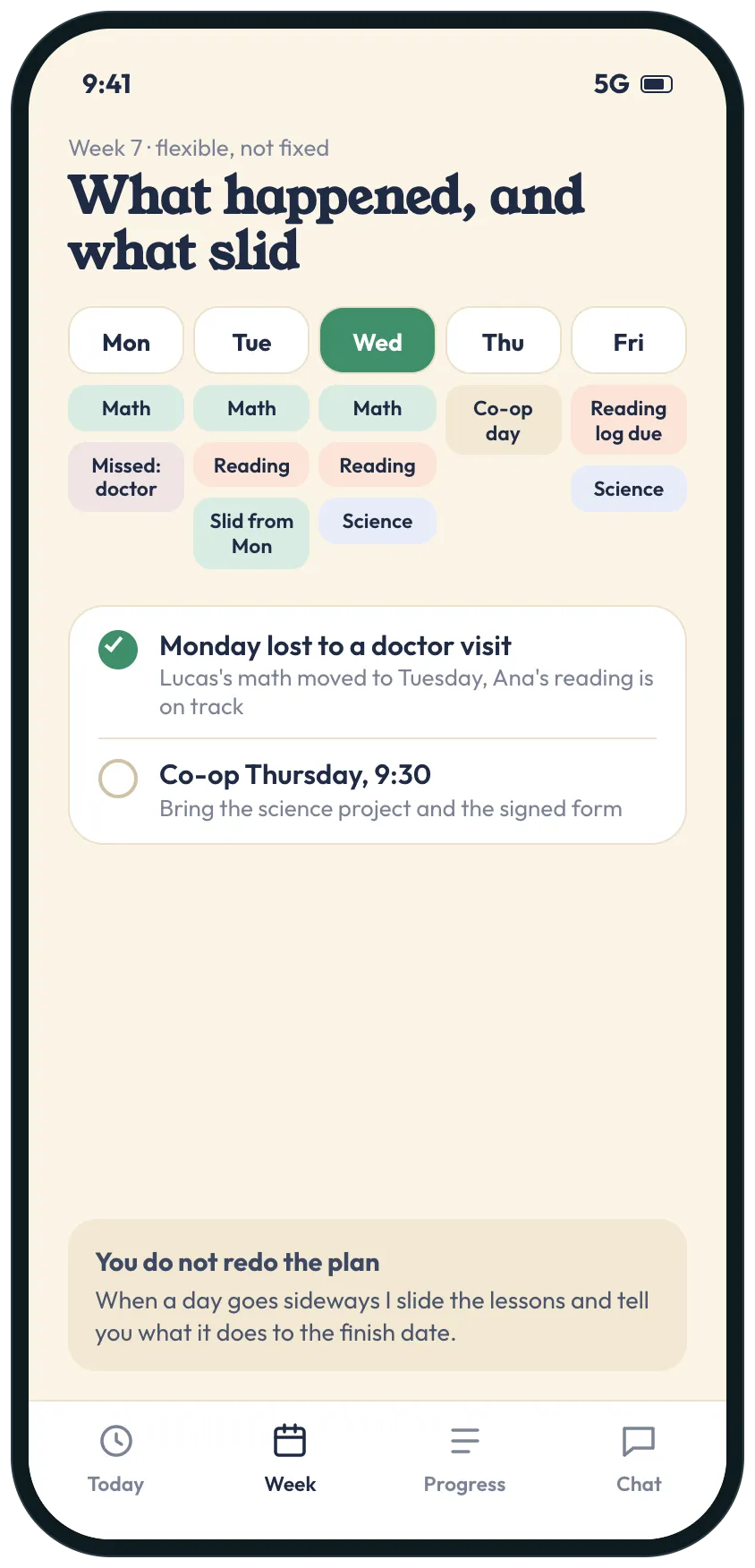
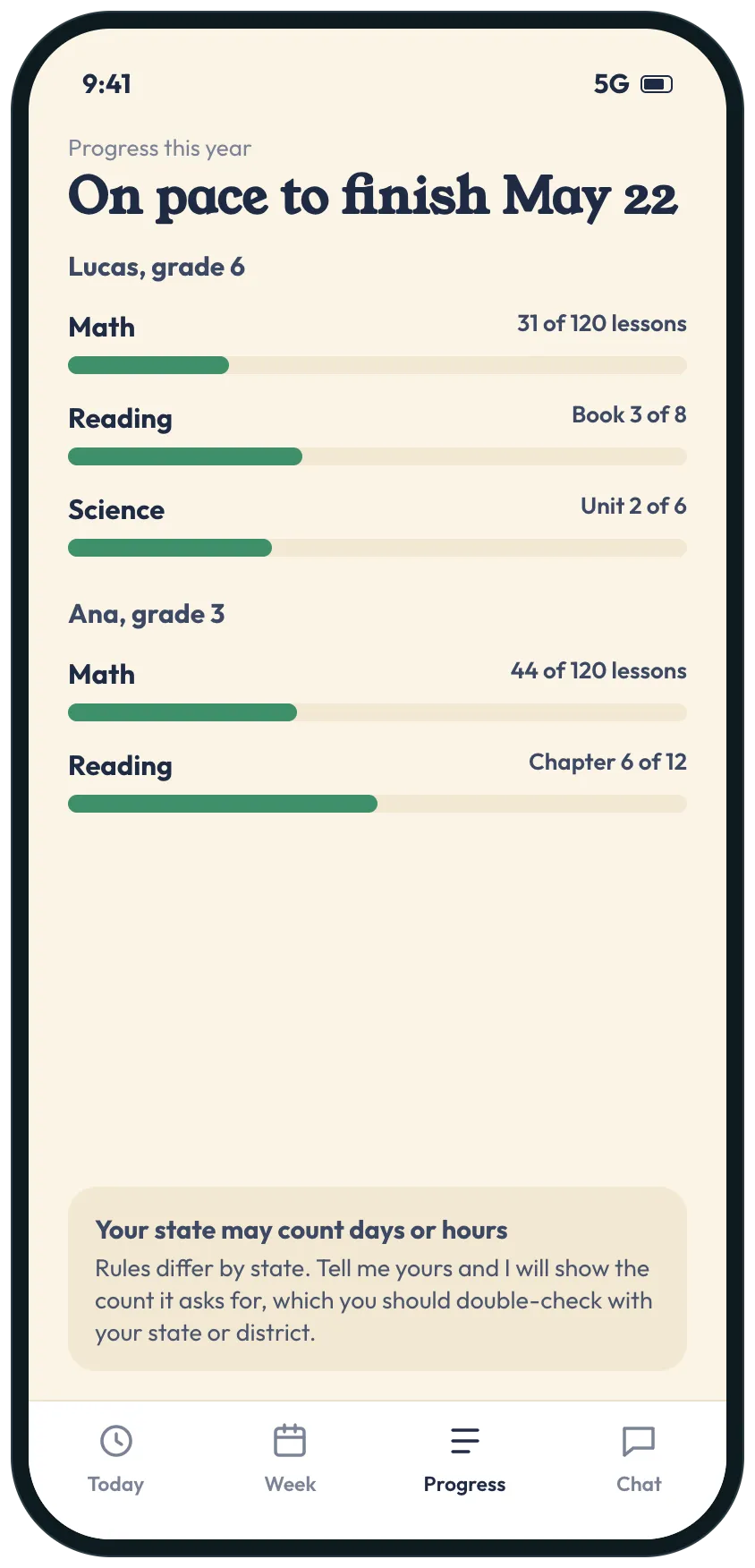
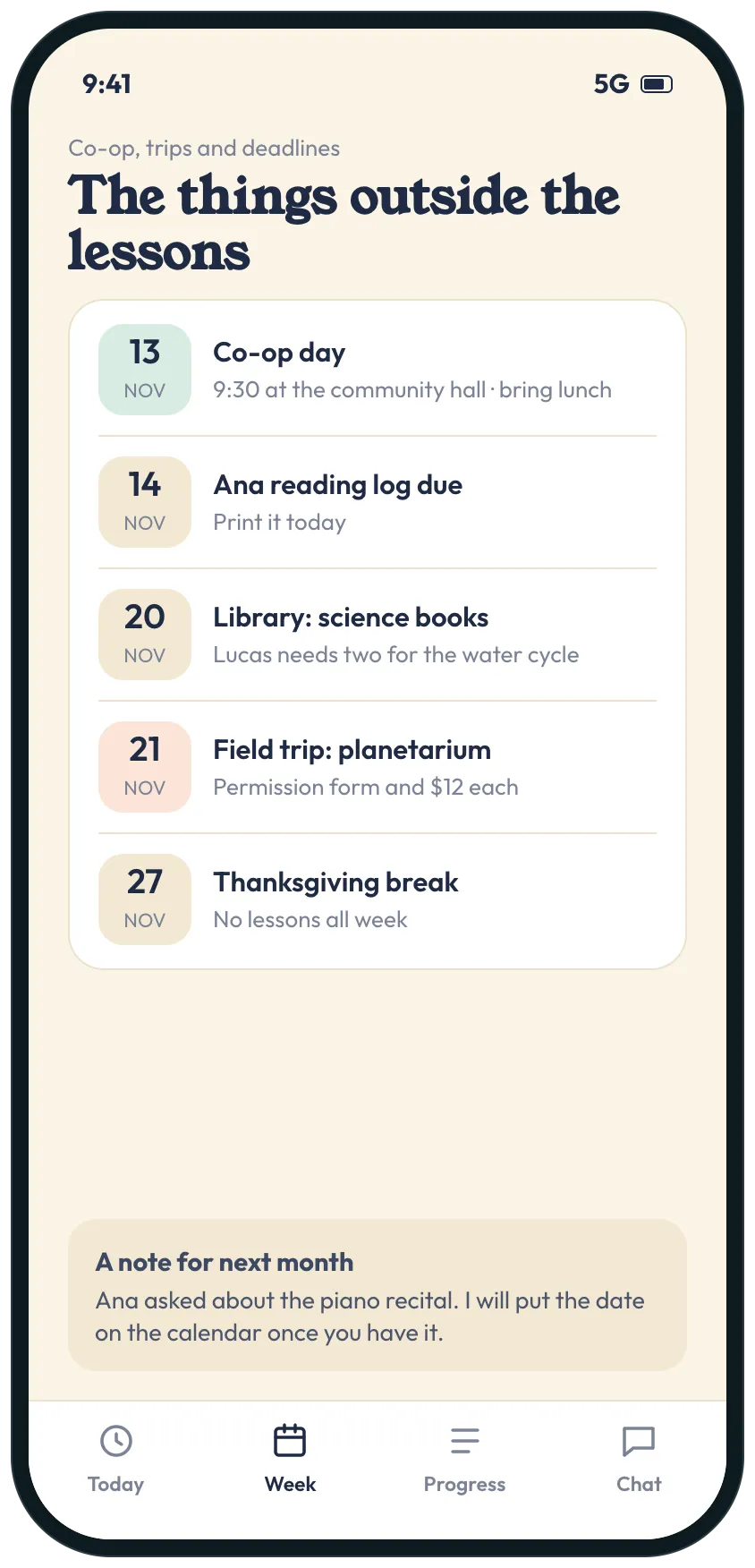
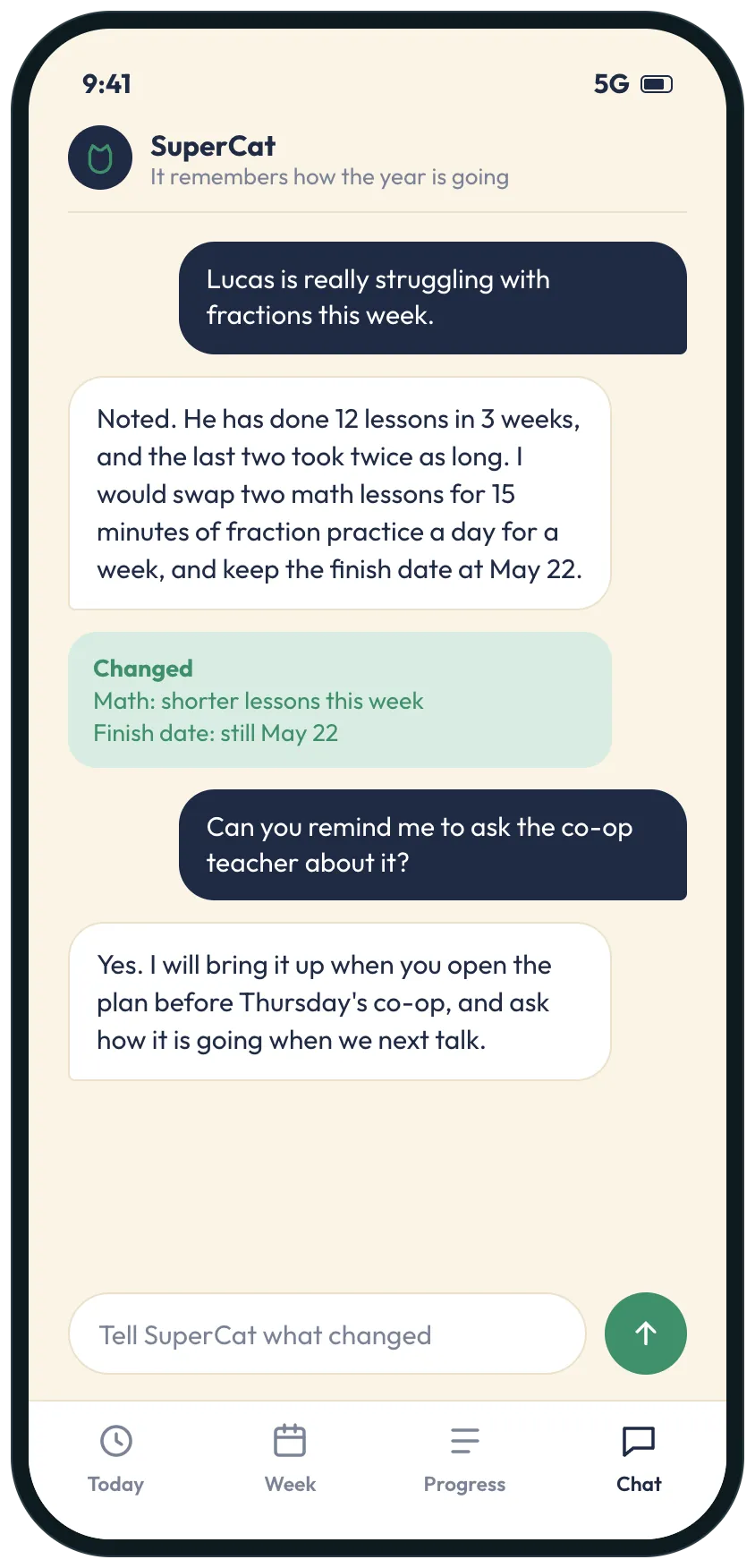
Example screens of the kind of tool SuperCat builds from this request. Yours is made around your life.
A plan for a whole school year: today's lessons for each child, what slid when a day went sideways, progress toward the finish date, and co-op and trip dates in one place.

SuperCat
Your message is ready to send
I homeschool two kids and I want the year to feel steady, not like I'm reinventing it every Sunday night.
Build me a small tool for the year. Ask me the kids' names and grades, the start and end dates, the subjects for each child and how many lessons are in each, and which days we have co-op.
Home screen: today's lessons for each child, and the one thing I need to do today.
A week view that is flexible, not fixed: when a day goes wrong (a doctor visit, a bad morning), slide the lessons and tell me what it does to the finish date.
A progress page for each child: lessons done against the plan and whether we are on pace.
A list of co-op days, library trips, field trips and deadlines.
When I tell you something changed (my son is struggling with fractions), adjust the plan, keep the finish date if you can, and remember it for next time.
Say that homeschool rules differ by state, and that I should check what mine require.
Calm design that works on a phone. Reply with the link when it is ready.
Opens WhatsApp with this message and a code for 5 cans. Nothing to install, no account to create.
Prefer another app? the message.
What you get
- Today's lessons for each child and the one thing to do today.
- A flexible week that slides lessons when a day goes wrong, and says what it does to the finish date.
- Progress for each child against the plan, so you know whether you are on pace.
- Co-op days, trips and deadlines on one calendar next to the lessons.
- A plan that remembers where each child is struggling and adjusts.
What usually gets in the way
- A fixed schedule falls apart the first day something goes wrong, and then the whole plan feels like failure.
- Lessons, co-op days and deadlines live in different places, so something always gets missed.
- You cannot easily tell whether each child is on pace until the end of the term.
- Rules for hours or days differ by state, and tracking them is one more thing to remember.
- What worked for one child last month is forgotten by the time you plan the next one.
The longer story
A homeschool year is a long plan that has to survive real days: a doctor visit, a bad morning, a co-op that moves. A plan that only works when nothing goes wrong stops being used by October.
A flexible plan slides the lessons when a day is lost and tells you what it does to the finish date, shows each child’s progress against the year, and keeps co-op days and deadlines in the same place. It also remembers what you told it about each child, so the next adjustment starts from there.
Homeschool rules, including required days or hours, differ by state and district. Check what yours require.
Send it as it is, or change anything first
SuperCat asks a question or two, then builds it.
Send on WhatsAppOpens WhatsApp with this message and a code for 5 cans. Nothing to install, no account to create.
Prefer another app? the message.
More requests like this
Family and home· Scheduling, Planning
Shared family weekly planner: one page for everyone's week, meals and who drives
One page for the family's week: everyone's day, who is driving whom, dinner, and SuperCat in the family group chat to answer who is driving and spot the clashes.
Send this to SuperCat
There are five of us with different schedules and I want our week to run without me answering who is driving whom all day.
Build us a small tool, and I'll add you to our family group chat so anyone can tag you to ask or tell you something changed. Ask me who is in the family and our regular activities first (soccer on Tuesdays, robotics on Thursdays).
Home screen: everyone's day today, who is driving whom, dinner, and the one thing to do today.
A week view with each person in their own color, and a warning when two things clash or a ride has no driver.
A list of rides for the week, and dinners with a shopping list.
When someone tells you something (I'm stuck at work Wednesday), find the clash and suggest who could help, and remember who usually does.
Calm design that works on a phone. Reply with the link when it is ready.
Opens WhatsApp with this request and a code for 5 cans to get started.
Family and home· Scheduling, Records and clients
Family chore chart and allowance tracker: who does what, what is done and what is earned
A weekly chore chart with a rotation, chores marked done, an optional allowance attached to each chore, and a page the kids open to see their own list and what they earned.
Send this to SuperCat
I have three kids aged 7, 10 and 13 and I want a chore chart that runs itself without me nagging.
Build one tool: a list of chores by age and room, a weekly rotation that assigns each child their chores and swaps them every week, and a page for each child (a link, no account) showing their chores for today and the week with a button to mark each done.
An optional allowance: a dollar value I set per chore, a running total for each child, what is paid and what is owed. Show me a weekly summary of who did what and flag chores left undone.
Let me add one-off jobs for extra money, set days off for holidays, and print or copy the weekly chart. A simple view on my phone to approve what was done. Phone friendly.
Opens WhatsApp with this request and a code for 5 cans to get started.