

Move into your dorm ready and on budget
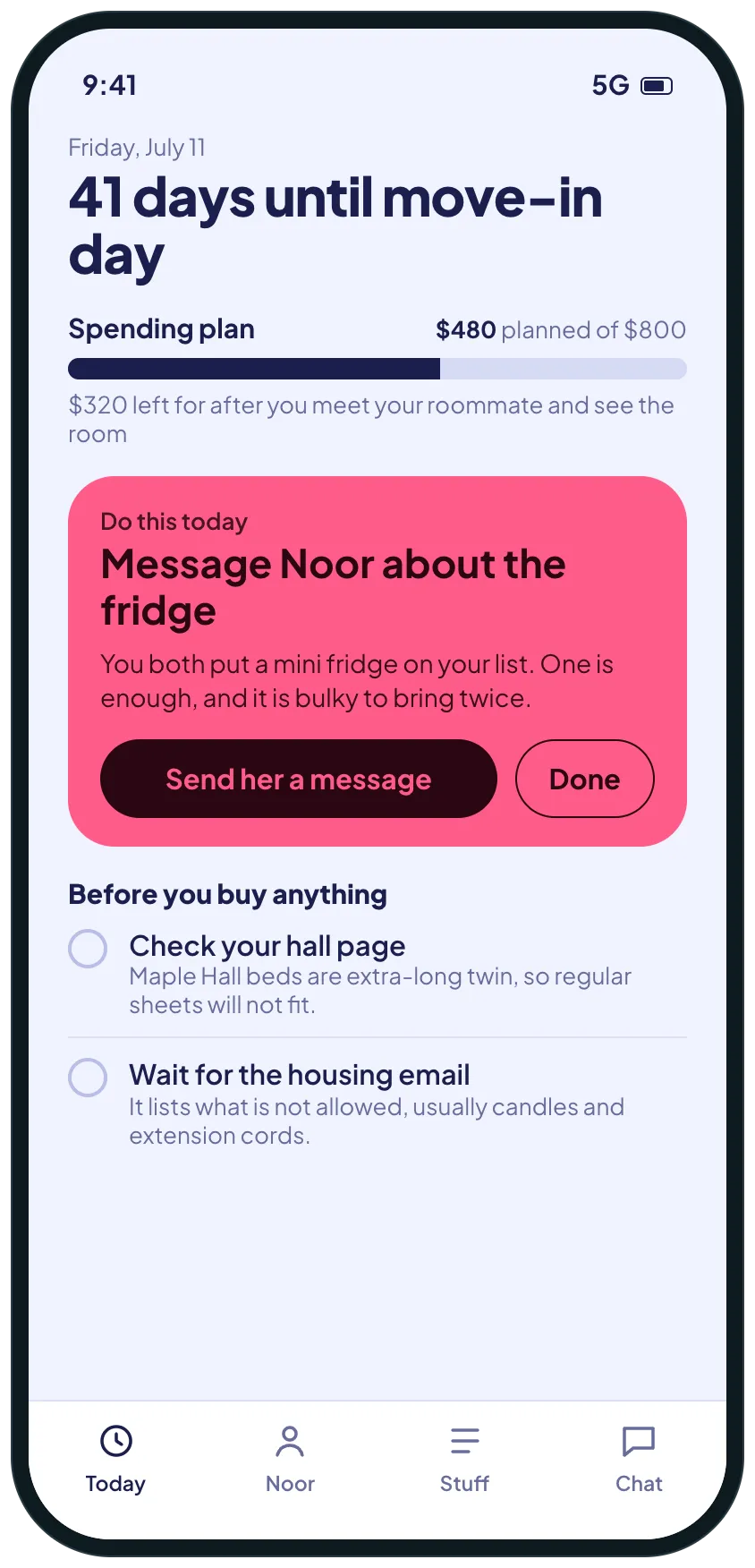
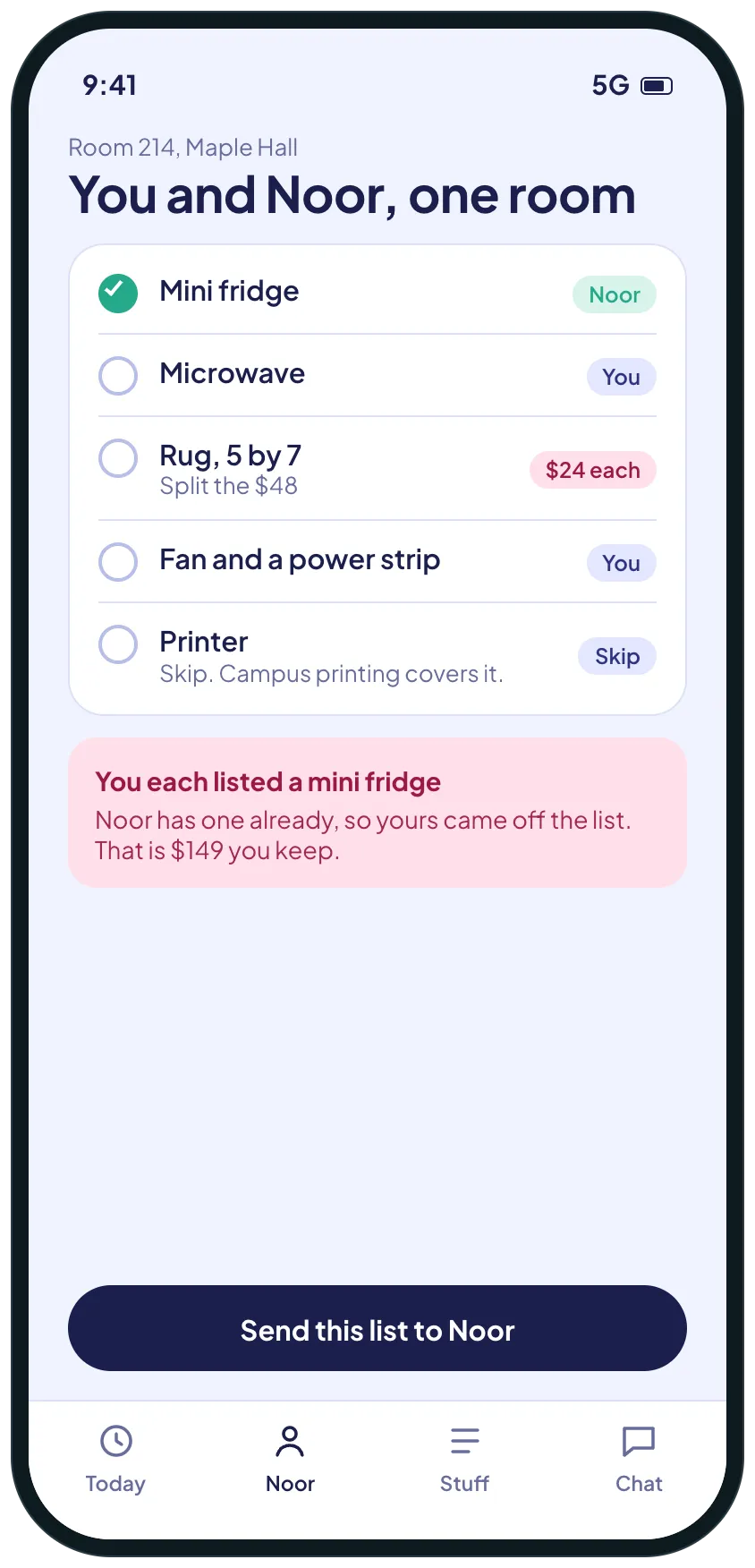
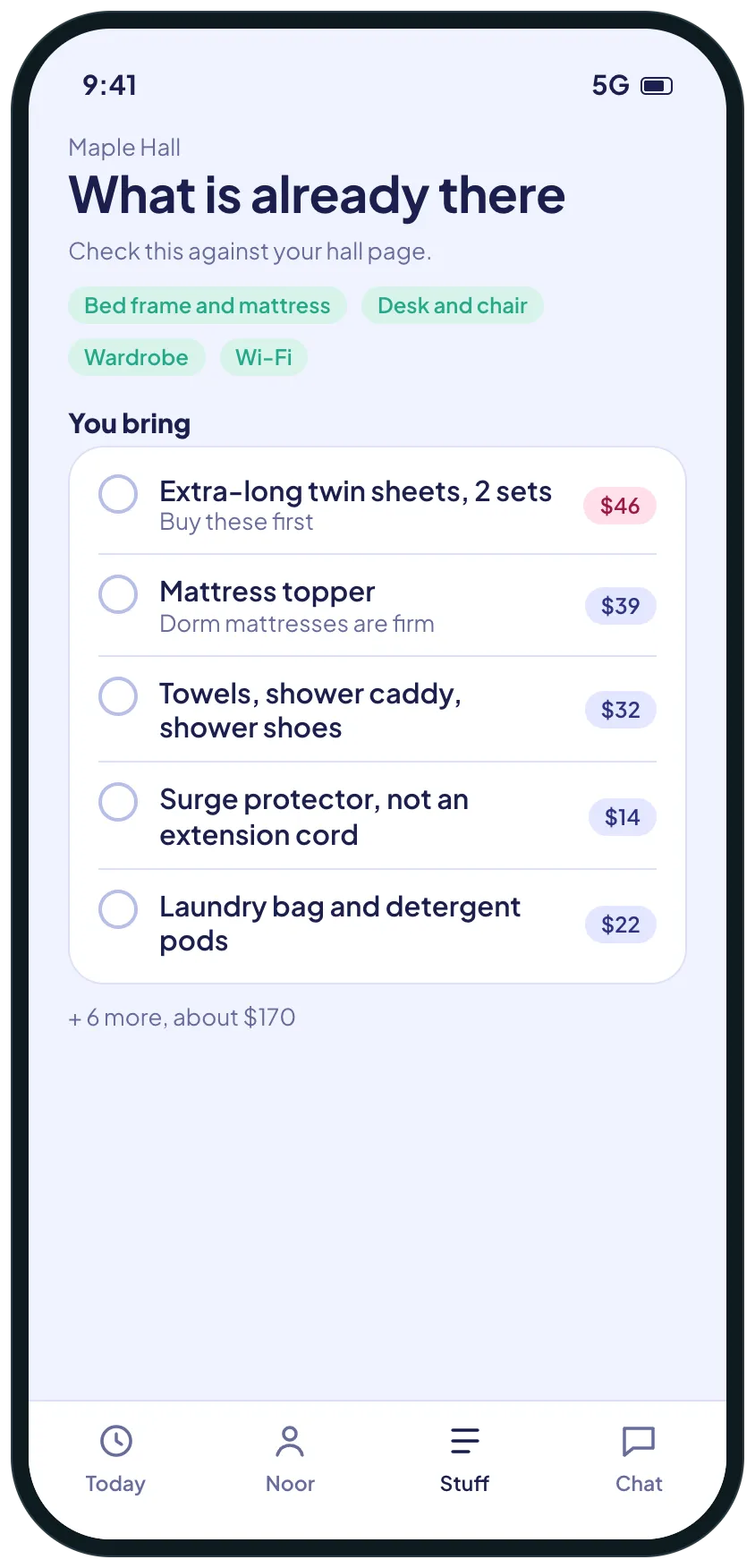
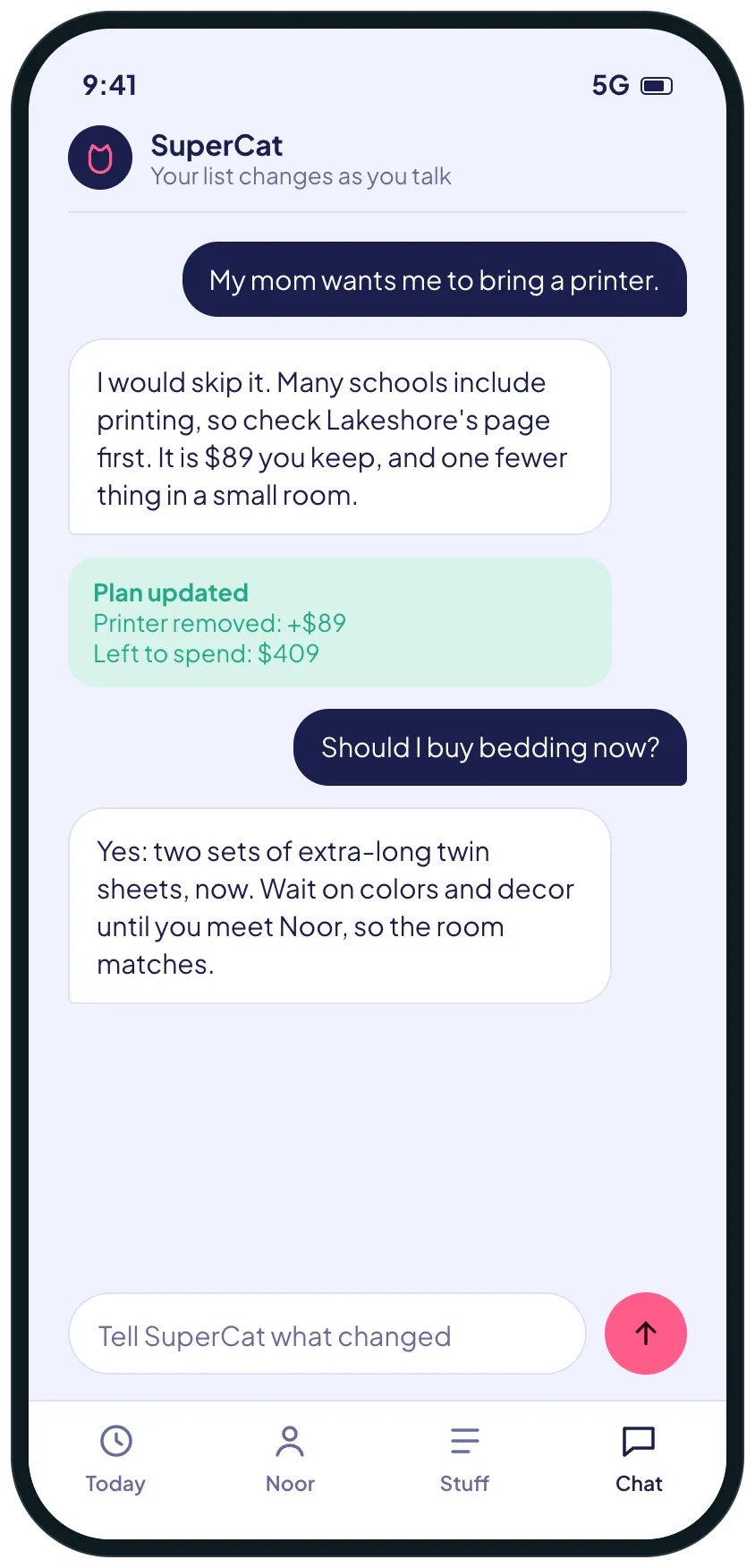
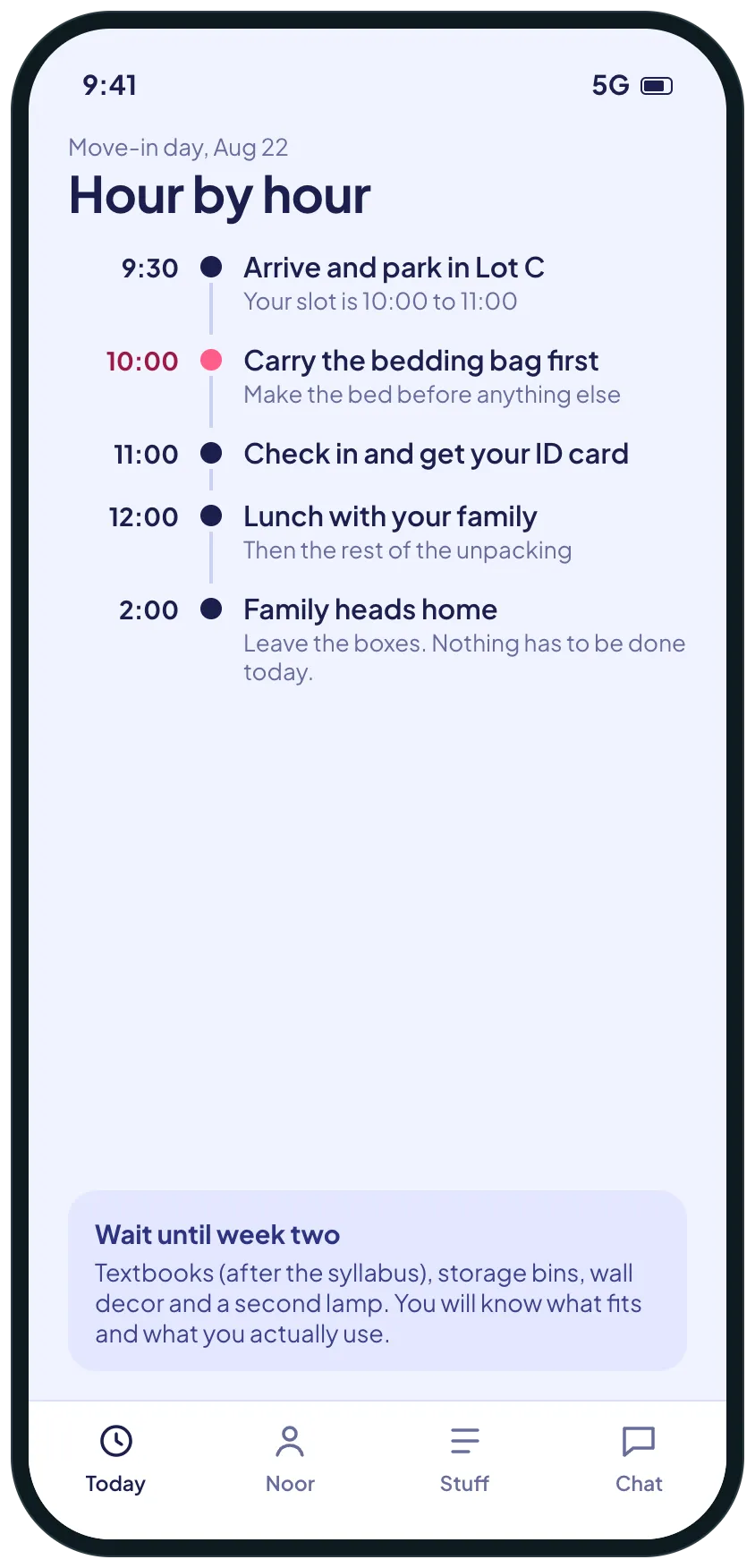
Example screens of the kind of tool SuperCat builds from this request. Yours is made around your life.
A calm plan for the weeks before move-in: what to do today, what you and your roommate each bring, what the hall already has, and what can wait until you live there.

SuperCat
Your message is ready to send
I'm starting college in August and I want to move into my dorm feeling ready, without overspending or doubling up with my roommate.
Build me a small tool that tells me what to do and when, working back from move-in day. Ask me my move-in date, my budget, my school and hall, and my roommate's name first.
Home screen: how many days to move-in, my spending plan, and the one thing to do today.
Me and my roommate: what we each bring and what we share, and a warning when we both list the same thing (a mini fridge, a microwave). Give her a link to claim her items.
What my hall already has and what I need to bring. Check the hall's page, because bed size is often extra-long twin and some things are not allowed. Say where you found it.
When I tell you something changed (my mom wants me to bring a printer), tell me whether I need it, update the budget and say what moved.
A move-in day screen hour by hour, and a short list of what to wait on until I have lived there a week or two.
Calm design that works on a phone. Reply with the link when it is ready.
Opens WhatsApp with this message and a code for 5 cans. Nothing to install, no account to create.
Prefer another app? the message.
What you get
- One thing to do today, counted down from move-in day, with the budget kept honest.
- A shared list with your roommate that catches doubles, like two mini fridges, before anyone buys them.
- What your hall already has and what to bring, with where it was found.
- A plan that changes when you tell SuperCat what a parent or roommate said.
- A move-in day hour by hour, and what to wait on until you have lived there.
What usually gets in the way
- Two roommates each buy a mini fridge.
- The list is long and nothing says what to buy new and what to bring from home.
- Spending is not tracked, so the budget is gone before move-in.
- The bed size and housing forms are remembered the week before.
- Every list online is generic and none knows your move-in date.
The longer story
Packing for a dorm is less a shopping problem than a coordination one: what the hall already has, what you and your roommate each need, and what you will only know you need once you are there.
A plan counted down from move-in day puts the things with deadlines first, such as the bed size and the housing email. A shared list catches the classic double, two mini fridges, before anyone pays for it, and a short “wait until week two” list keeps the first weeks affordable.
Check your own residence hall’s page for what is provided and what is not allowed. Rules differ by school.
Send it as it is, or change anything first
SuperCat asks a question or two, then builds it.
Send on WhatsAppOpens WhatsApp with this message and a code for 5 cans. Nothing to install, no account to create.
Prefer another app? the message.